Top 10 Security Vulnerabilities in Vibe-Coded Applications
A ranked list of the most common security issues we find in apps built with AI coding tools, with real examples and concrete fixes for each one.

What are the top 10 security vulnerabilities in vibe-coded apps?
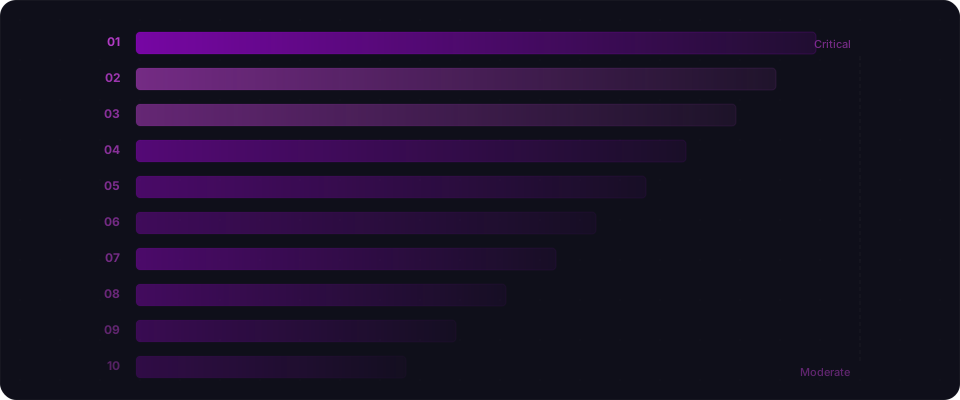
The ten most common security issues in apps built with AI coding tools are: 1) Disabled Row Level Security (68% of BaaS-backed apps), 2) Exposed API keys in client code (54% of apps), 3) Broken authentication (26%), 4) IDOR / broken authorization (41% of multi-user apps), 5) SQL injection (33%), 6) Cross-site scripting (29%), 7) Missing security headers (47%), 8) Insecure file uploads (18% of apps with uploads), 9) Business logic flaws (22% of apps with payments), and 10) Unvalidated dependencies (14%). These numbers come from scanning hundreds of publicly deployed apps built with Lovable, Bolt, Cursor, v0, and other AI coding tools.
The patterns are remarkably consistent. AI coding assistants make the same mistakes over and over — and that's actually good news. If the problems are predictable, the fixes are too. For each vulnerability below, we show you what it looks like, why AI generates it, and how to fix it.
1. Disabled Row Level Security
Severity: Critical | Prevalence: 68% of BaaS-backed apps
The single most dangerous and most common vulnerability in the vibe coding ecosystem. When Supabase RLS is disabled (or Firebase security rules are in test mode), the entire database is accessible to anyone with the project's public API key.
What it looks like:
-- Check your Supabase RLS status
SELECT tablename, rowsecurity FROM pg_tables
WHERE schemaname = 'public';

-- If any row shows 'false', you're exposed
Why AI does this: AI generates tables and queries that work. RLS is a security configuration, not a functional requirement, so it's rarely included in generated code.
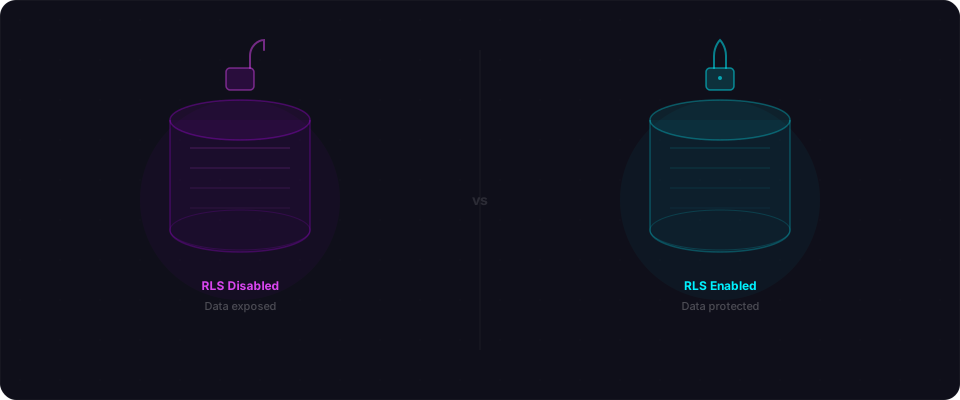
The fix:
ALTER TABLE your_table ENABLE ROW LEVEL SECURITY;
CREATE POLICY "owner_access" ON your_table
  FOR ALL USING (auth.uid() = user_id);
Two statements per table. That's it.
Real-world impact: The Moltbook breach (1.5M API tokens), Lovable CVE-2025-48757 (170+ apps exposed), Firebase mass misconfiguration (125M records) — all caused by this single issue.
2. Exposed API Keys and Secrets in Client Code
Severity: Critical | Prevalence: 54% of apps
AI frequently puts sensitive values directly in client-side JavaScript where anyone can read them.
What it looks like:
// In your deployed JavaScript bundle
const openaiKey = "sk-proj-abc123...";
const stripeSecret = "sk_live_abc123...";
const supabaseServiceRole = "eyJhbGciOi...";
These show up in view-source, in the browser's Network tab, or by searching the JS bundle.
Why AI does this: When you tell AI "add OpenAI integration," it puts the key wherever the code needs it — usually in a client-side utility file. It doesn't distinguish between browser-safe and server-only values.
The fix:
Move secrets to server-side environment variables and access them only through API routes:
// Instead of calling OpenAI from the browser:
// BAD
const response = await openai.chat.completions.create({...});

// Call your own API route that has the key server-side:
// GOOD
const response = await fetch("/api/ai/chat", {
  method: "POST",
  body: JSON.stringify({ message }),
});
In Next.js, only variables prefixed with NEXT_PUBLIC_ are included in the browser bundle. Keep everything else without that prefix.
3. Broken Authentication and Session Management
Severity: Critical | Prevalence: 26% of apps
Authentication that looks right but has gaps. The most common patterns:
- No server-side session validation: The app checks auth state on the client but doesn't verify the JWT on API routes
- Middleware bypass: Auth middleware that can be skipped (see CVE-2025-29927 for Next.js)
- Missing auth on API endpoints: Some routes require login, others don't, with no consistent pattern
What it looks like:
// Client-side auth check (not a security control)
if (!user) redirect("/login");

// API route with no auth check (the actual problem)
export async function GET(request) {
  const data = await db.query("SELECT * FROM orders");
  return Response.json(data);
  // Anyone can call this endpoint directly
}
Why AI does this: AI implements auth for the UI flow (login page, redirect if not logged in) but doesn't consistently apply server-side verification to every API endpoint.
The fix:
Verify authentication on every server-side endpoint:
import { createClient } from "@/lib/supabase/server";

export async function GET(request) {
  const supabase = await createClient();
  const { data: { user } } = await supabase.auth.getUser();

  if (!user) {
    return Response.json({ error: "Unauthorized" }, { status: 401 });
  }

  // Now fetch data scoped to this user
  const { data } = await supabase
    .from("orders")
    .select("*")
    .eq("user_id", user.id);

  return Response.json(data);
}
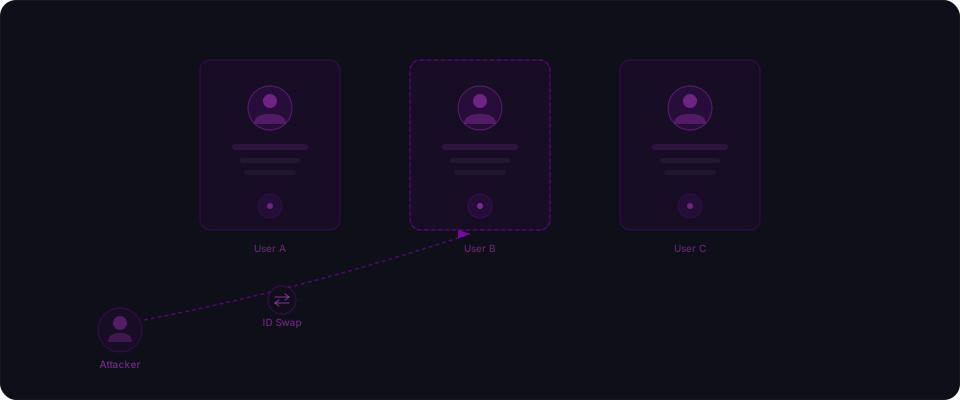
4. IDOR — Insecure Direct Object References
Severity: High | Prevalence: 41% of multi-user apps
User A can see User B's data by changing an ID in the URL or API request.
What it looks like:
GET /api/invoices/inv_abc123  → Returns User A's invoice ✓
GET /api/invoices/inv_def456  → Returns User B's invoice ✗ (should be 403)
Why AI does this: AI generates CRUD operations that take IDs as parameters. It fetches the requested resource correctly — but doesn't check if the requesting user owns it.
The fix:
Always include an ownership check:
export async function GET(request, { params }) {
  const user = await getAuthUser(request);
  const invoice = await db.invoices.findUnique({
    where: {
      id: params.id,
      user_id: user.id, // This line prevents IDOR
    },
  });

  if (!invoice) {
    return Response.json({ error: "Not found" }, { status: 404 });
  }

  return Response.json(invoice);
}
Return 404 (not 403) when the resource doesn't belong to the user — this prevents enumeration of valid IDs.
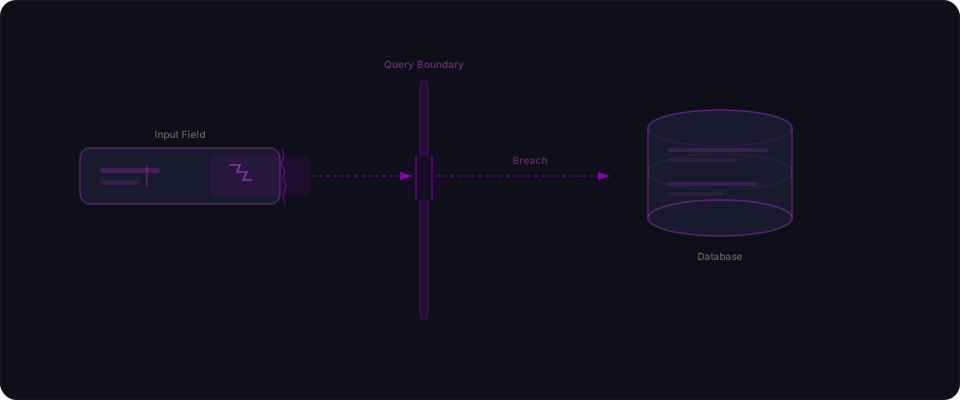
5. SQL and NoSQL Injection
Severity: High | Prevalence: 33% of apps
Untrusted input gets concatenated directly into database queries.
What it looks like:
// String concatenation — vulnerable
const result = await db.query(
  `SELECT * FROM users WHERE email = '${email}'`
);

// An attacker sends: email = "' OR '1'='1"
// The query becomes: SELECT * FROM users WHERE email = '' OR '1'='1'
// Returns ALL users
Why AI does this: AI generates both safe and unsafe query patterns depending on context. When using ORMs, it's usually safe. When writing raw SQL (which it does for complex queries, migrations, or when prompted), it often uses string interpolation.
The fix:
Always use parameterized queries:
// Parameterized — safe
const result = await db.query(
  "SELECT * FROM users WHERE email = $1",
  [email]
);

// Or use an ORM that handles it automatically
const user = await prisma.user.findUnique({
  where: { email },
});
6. Cross-Site Scripting (XSS)
Severity: Medium | Prevalence: 29% of apps
User-supplied content is rendered in the browser without sanitization, allowing script injection.
What it looks like:
// Dangerous: renders raw HTML from user input
<div dangerouslySetInnerHTML={{ __html: userComment }} />

// Also dangerous: user-controlled href
<a href={userProfile.website}>Visit site</a>
// An attacker sets website to: javascript:alert(document.cookie)
Why AI does this: AI sometimes uses dangerouslySetInnerHTML for rich text content, renders user-generated markdown without sanitization, or passes user strings into href attributes without validation.
The fix:
// Use a sanitization library for HTML content
import DOMPurify from "dompurify";
<div dangerouslySetInnerHTML={{
  __html: DOMPurify.sanitize(userComment)
}} />

// Validate URLs before rendering
const safeUrl = url.startsWith("https://") ? url : "#";
<a href={safeUrl}>Visit site</a>
In React, JSX auto-escapes content in {} expressions — the risk comes from the escape hatches like dangerouslySetInnerHTML and href.
7. Missing Security Headers and CORS Misconfiguration
Severity: Medium | Prevalence: 47% of apps
No Content Security Policy, permissive CORS, missing transport security headers.
What it looks like:
# Response headers from a typical vibe-coded app
HTTP/2 200
content-type: text/html
# ...and that's it. No security headers.
What you should see:
content-security-policy: default-src 'self'; script-src 'self'
strict-transport-security: max-age=31536000; includeSubDomains
x-frame-options: DENY
x-content-type-options: nosniff
referrer-policy: strict-origin-when-cross-origin
Why AI does this: Security headers are infrastructure configuration, not application code. AI focuses on building the app, not configuring the deployment.
The fix for Next.js:
// next.config.js
const securityHeaders = [
  { key: "X-Frame-Options", value: "DENY" },
  { key: "X-Content-Type-Options", value: "nosniff" },
  { key: "Referrer-Policy", value: "strict-origin-when-cross-origin" },
  {
    key: "Content-Security-Policy",
    value: "default-src 'self'; script-src 'self' 'unsafe-inline';"
  },
  {
    key: "Strict-Transport-Security",
    value: "max-age=31536000; includeSubDomains"
  },
];

module.exports = {
  async headers() {
    return [{ source: "/(.*)", headers: securityHeaders }];
  },
};
8. Insecure File Upload Handling
Severity: Moderate | Prevalence: 18% of apps with upload features
File uploads without type validation, size limits, or proper storage isolation.
What it looks like:
// Accepts any file type, no validation
export async function POST(request) {
  const formData = await request.formData();
  const file = formData.get("file");
  // Saved directly — no type check, no size limit
  await saveFile(file);
}
Why AI does this: AI generates functional upload handlers that store files. It doesn't add type validation, size limits, or consider that uploaded files might be executable.
The fix:
const ALLOWED_TYPES = ["image/jpeg", "image/png", "image/webp"];
const MAX_SIZE = 5 * 1024 * 1024; // 5MB

export async function POST(request) {
  const formData = await request.formData();
  const file = formData.get("file");

  if (!ALLOWED_TYPES.includes(file.type)) {
    return Response.json({ error: "Invalid file type" }, { status: 400 });
  }

  if (file.size > MAX_SIZE) {
    return Response.json({ error: "File too large" }, { status: 400 });
  }

  // Store in a non-executable location (like Supabase Storage)
  // Never serve uploads from your application directory
  await supabase.storage.from("uploads").upload(safeName, file);
}
9. Business Logic Flaws
Severity: Moderate | Prevalence: 22% of apps with payment/booking features
The application logic can be manipulated in ways that the developer didn't intend.
What it looks like:
// Price comes from the client — attacker can modify it
const { productId, price, quantity } = req.body;
await createOrder({ productId, price, quantity });

// Coupon applied multiple times
await applyCoupon(couponCode); // No check for previous use

// Negative quantity creates a refund
const total = price * quantity; // quantity = -5 → negative charge
Why AI does this: AI implements the happy path: the correct user, entering correct values, doing the expected thing. It doesn't consider adversarial inputs like negative quantities, duplicated coupons, or client-supplied prices.
The fix:
- Always calculate prices server-side from trusted data (product catalog, database)
- Validate business constraints: positive quantities, valid ranges, single-use checks
- Never trust client-supplied values for pricing, discounts, or permissions
10. Unvalidated Third-Party Dependencies
Severity: Moderate | Prevalence: 14% of apps
Applications loading third-party scripts without integrity checks, or using dependencies with known vulnerabilities.
What it looks like:
<!-- Loading from a CDN with no integrity check -->
<script src="https://cdn.example.com/analytics.js"></script>

<!-- If the CDN is compromised, your users run malicious code -->
This is exactly what happened with polyfill.io — a widely used CDN was acquired by a malicious actor and began serving malicious JavaScript to 380,000+ websites.
Why AI does this: AI adds third-party integrations based on popular patterns. It rarely includes Subresource Integrity (SRI) hashes or audits dependency security.
The fix:
<!-- Add integrity hashes to external scripts -->
<script
  src="https://cdn.example.com/analytics.js"
  integrity="sha384-abc123..."
  crossorigin="anonymous"
></script>
For npm dependencies, run npm audit regularly and address critical vulnerabilities.
Why does AI keep generating these vulnerabilities?
Every vulnerability on this list shares the same root cause: AI generates code that works, not code that's secure. It handles the happy path — the right user, the expected input, the normal flow. It doesn't handle the adversarial case — a different user, a manipulated request, an unexpected value.
This isn't a flaw in AI. It's a gap in the workflow. The build step is handled. The security step isn't. That's the gap Flowpatrol fills.
What should you do right now?
If you've shipped a vibe-coded app, work through this list from the top:
- Check your RLS status (2 minutes)
- Search your JS bundle for secrets (5 minutes)
- Verify auth on your API endpoints (15 minutes)
- Test for IDOR on user-specific resources (10 minutes)
- Check for injection points in search/filter features (10 minutes)
Or scan your app with Flowpatrol and get the full picture in five minutes.
This ranking is based on scan data from publicly deployed vibe-coded applications. Prevalence numbers reflect our testing sample and may vary. Individual apps will have different vulnerability profiles depending on the platform used, application complexity, and developer experience.