You shipped it. Now make it bulletproof.
Idea to working app — maybe 48 hours with Lovable or Cursor. Then you hit the wall: deployment, domain, Stripe setup, and finally: "Is this actually secure?"
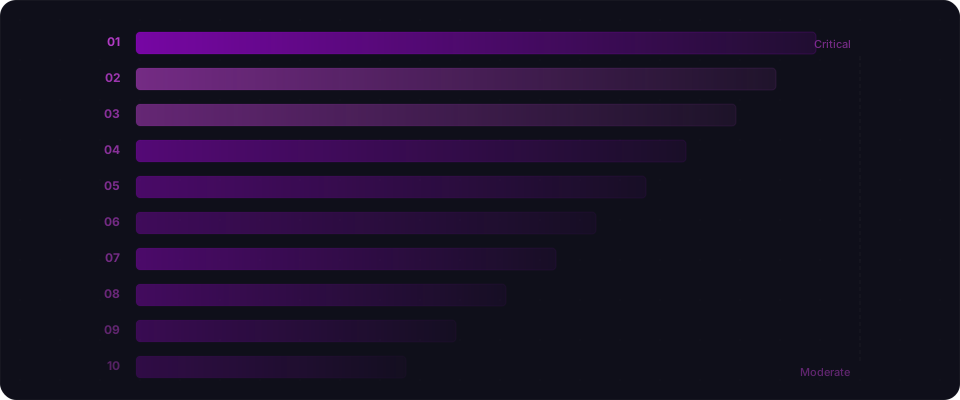
OWASP's Top 10 is the industry standard for web security risks. The problem? It's written for security engineers, not builders who just shipped. The categories are jargony. The examples are abstract. And it doesn't answer the question you actually have: "What should I be paranoid about in my vibe-coded app right now?"
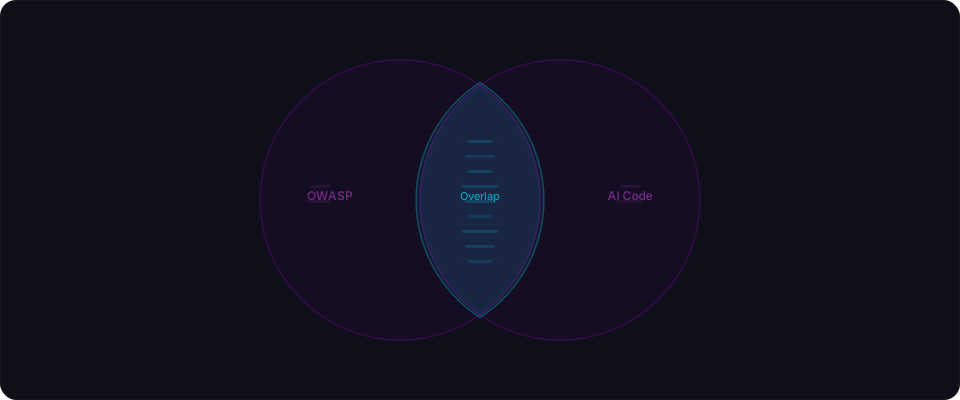
Here's the gap: AI coding tools generate code that hits 7 of the 10 OWASP categories by default. Not because Cursor or Lovable writes bad code — they write clean, functional code. The issue is their optimization function: make it work, not make it bulletproof. When you ask for "build a login page," you get a login page. No rate limiting. No lockout. No CAPTCHA. Because you didn't ask for those. They're not bugs — they're features that were never built.
What follows is OWASP translated for builders. Each entry shows the exact code pattern your AI generated, why an attacker exploits it, and the one-line fix. You don't need a security degree. You need 15 minutes and this list.
A01: Broken Access Control
The #1 risk. The #1 issue in vibe-coded apps. They are the same problem.
You prompt: "Build a Next.js API route to fetch an invoice by ID."
The AI ships this:
export async function GET(request, { params }) {
  const invoice = await db.invoices.findUnique({
    where: { id: params.id },
  });
  return Response.json(invoice);
}
It works. You test it with your invoice ID, and it returns your invoice. What you didn't test: changing the ID in the URL to someone else's. Because the AI didn't add an ownership check, that works too. Every invoice in your database is readable by anyone logged in — just increment the number in the URL.
This pattern is called IDOR (Insecure Direct Object Reference). It shows up in AI-generated code constantly because the AI gave you exactly what you asked for — fetch by ID — and you didn't ask for authorization.
The fix is one condition added to the query:
export async function GET(request, { params }) {
  const user = await getAuthUser(request);
  const invoice = await db.invoices.findUnique({
    where: {
      id: params.id,
      user_id: user.id, // ownership check — now it only returns YOUR invoice
    },
  });

  if (!invoice) {
    return Response.json({ error: "Not found" }, { status: 404 });
  }
  return Response.json(invoice);
}
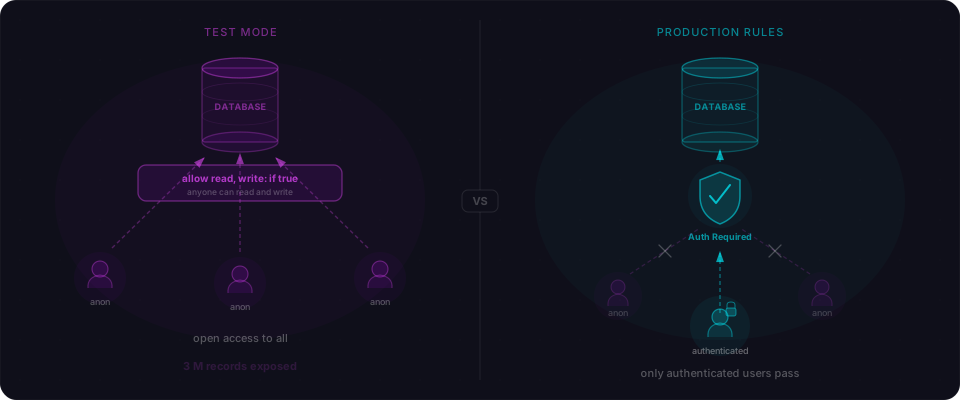
If you're on Supabase, Row Level Security is this same check enforced at the database layer — so even if your API route forgets it, the database won't return the wrong row. The catch: RLS is disabled by default, and AI-generated Supabase setups almost never enable it. Our scan data shows 68% of BaaS-backed vibe-coded apps have at least one table with RLS off.
A02: Cryptographic Failures
The most common version: your secret keys are in the JavaScript your users download.
This category covers all the ways sensitive data travels without protection — HTTP instead of HTTPS, passwords stored in plaintext, encryption done wrong. In vibe-coded apps, the most immediate version is simpler and more concrete: secrets end up in your client-side bundle.
You prompt: "Add Stripe to my Next.js app."
The AI generates:
// Client component — this is what gets shipped to the browser
const stripe = new Stripe(process.env.NEXT_PUBLIC_STRIPE_SECRET_KEY);
That NEXT_PUBLIC_ prefix is Next.js telling you this variable is embedded in the browser-side JavaScript. Your Stripe secret key — the one that can charge cards and issue refunds — is now readable by anyone who opens DevTools and searches your bundle. We find exposed Stripe keys, OpenAI API keys, and Supabase service role keys in over half the vibe-coded apps we scan.
The same category covers weak password storage. When you prompt for "custom auth," AI sometimes skips hashing:
// AI-generated signup — the password is stored as typed
await db.users.create({
  data: {
    email: email,
    password: password, // plaintext — if your DB leaks, every account is compromised
  },
});
Quick check: After building, run grep -r "sk_live\|sk-\|service_role" .next/static/ against your build output. If anything comes back, that key is in your users' browsers right now.
A03: Injection
SQL injection is 28 years old. AI still writes it because the internet taught it to.
SQL injection was documented in 1998. We solved it decades ago with parameterized queries and ORMs. But AI coding tools learned by reading the internet, and the internet is full of tutorials showing string concatenation. So when you prompt "build a search feature," you sometimes get:
// AI-generated search — the user controls the entire query
const result = await pool.query(
  `SELECT * FROM products WHERE name LIKE '%${search}%'`
);
Someone types ' UNION SELECT email, password_hash FROM users -- into the search box. Your app returns your entire user table. The fix takes ten seconds:
// Parameterized — the database treats the input as data, not SQL
const result = await pool.query(
  "SELECT * FROM products WHERE name LIKE $1",
  [`%${search}%`]
);
The trickier version is dynamic sorting, which AI generates like this:
// AI-generated sort — column name comes from user input
const result = await pool.query(
  `SELECT * FROM products ORDER BY ${sortBy} ${order}`
);
You can't parameterize a column name — the database won't accept ORDER BY $1. So the correct fix is an allowlist:
const allowedColumns = ["name", "price", "created_at"];
const safeColumn = allowedColumns.includes(sortBy) ? sortBy : "created_at";
const safeOrder = order === "desc" ? "DESC" : "ASC";
AI almost never generates allowlists. It sees "user picks a column" and goes straight for interpolation.
A04: Insecure Design
Architectural gaps that no amount of good code can fix — because they were never designed in.
OWASP added this category in 2021 to capture risks that exist at the design level. Even perfectly written code is insecure if critical security features were never built.
In vibe-coded apps, the most dangerous example is no rate limiting anywhere. You prompt "build a login page" and AI ships a clean, functional form. What's missing: any defense against brute force. You don't ask for it because you didn't think of it:
// AI-generated login — will happily process 10,000 attempts per minute
export async function POST(request) {
  const { email, password } = await request.json();
  const user = await verifyCredentials(email, password);

  if (!user) {
    return Response.json({ error: "Invalid credentials" }, { status: 401 });
  }
  // create session...
}
No lockout. No delay. No CAPTCHA. A script tries every common password against every email in your system, and your server processes every single request.
Other design gaps AI generates without prompting:
- Sequential integer IDs (
/invoice/1,/invoice/2) instead of UUIDs — makes enumeration trivial - Client-side price calculations for checkout flows — an attacker intercepts the request and changes
price: 99toprice: 1 - Password reset that emails a link with no expiry — the link works forever
- No re-authentication before destructive actions — delete account, change email, transfer money
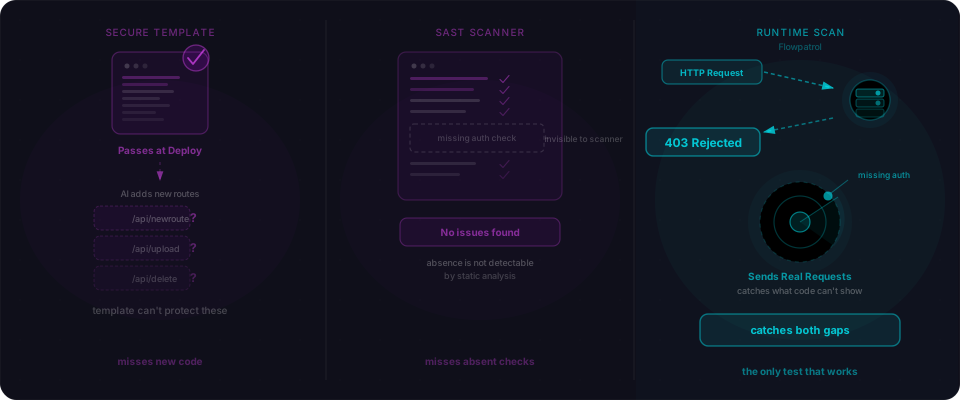
These aren't bugs you can search for in your code. They're features that were never built. The only way to catch them is to think like someone trying to break the app.
A05: Security Misconfiguration
"It works on my machine" ships with the wrong settings for the internet.
Security misconfiguration is everything that should be configured correctly but isn't. It's the gap between "this app functions" and "this app is ready for strangers to use." AI writes application code — it doesn't configure your infrastructure, your headers, or your defaults.
Missing security headers. Open DevTools on a typical vibe-coded app and check the response headers. You get:
HTTP/2 200
content-type: text/html
A production app should return at least these:
content-security-policy: default-src 'self'; script-src 'self'
strict-transport-security: max-age=31536000; includeSubDomains
x-frame-options: DENY
x-content-type-options: nosniff
referrer-policy: strict-origin-when-cross-origin
Without X-Frame-Options: DENY, your login page can be embedded in an invisible iframe on an attacker's site. Without Content-Security-Policy, injected scripts run freely. We see missing security headers in 47% of vibe-coded apps we scan. It's also one of the fastest fixes:
// next.config.js — one block, every response gets the right headers
module.exports = {
  async headers() {
    return [{
      source: "/(.*)",
      headers: [
        { key: "X-Frame-Options", value: "DENY" },
        { key: "X-Content-Type-Options", value: "nosniff" },
        { key: "Referrer-Policy", value: "strict-origin-when-cross-origin" },
        { key: "Content-Security-Policy", value: "default-src 'self'; script-src 'self' 'unsafe-inline';" },
        { key: "Strict-Transport-Security", value: "max-age=31536000; includeSubDomains" },
      ],
    }];
  },
};
Verbose error messages. AI-generated apps often return full stack traces in production. One malformed request gives an attacker your database schema, file paths, and framework versions.
CORS: accept everything. When AI sets up an API, it often adds Access-Control-Allow-Origin: * to stop CORS errors during local development. That wildcard goes to production. Any website can now make requests to your API on behalf of your users.
A06: Vulnerable and Outdated Components
Your AI picked the dependencies. It picked based on 2023 popularity, not 2026 safety.
Every vibe-coded app has a package.json full of libraries the AI chose. It chose them based on patterns in its training data — which means it defaults to packages that were popular when it was trained, not packages that are actively maintained today.
A package that was the go-to choice in 2022 might have three unpatched CVEs now. But here's the real risk: a popular package might get abandoned and acquired. polyfill.io was a standard CDN. Then a new owner took it over and served malicious JavaScript to 380,000 websites. Your app still has the script tag pointing to it.
Run this in your project root:
npm audit
It checks your full dependency tree against the npm vulnerability database. If it reports critical or high findings, update or swap before you ship.
For less common packages, check the GitHub repo directly. Look at three things: (1) last commit date — is it maintained? (2) open issues — is the maintainer responsive? (3) who maintains it — is it a team or one person about to quit? A package with no commits in two years is a risk, especially if it handles auth, cryptography, or parsing.
A07: Identification and Authentication Failures
AI builds the login form. It doesn't always build what actually makes it secure.
Authentication looks simple — form, session, redirect. The OWASP category exists because "looks simple" is exactly what makes it dangerous. The failures happen in the parts nobody thinks to specify when prompting.
The most dangerous pattern: client-side-only auth gates.
// This redirects unauthenticated users to login — but it's just UI
"use client";

export default function Dashboard() {
  const { user } = useAuth();

  if (!user) {
    redirect("/login");
    return null;
  }

  return <DashboardContent />;
}
This works when your users use your UI. An attacker calls /api/dashboard/data directly with curl. If that API route doesn't verify the session server-side, the redirect is decoration. The data is still accessible.
Another common one — no password requirements at all:
// AI-generated signup — the string "1" is a valid password
const { email, password } = await request.json();
await createUser(email, password);
No minimum length, no complexity check, no check against common password lists.
Quick test: Pick any API route in your app that returns user data. Call it directly — curl https://yourapp.com/api/that-route — without any session token. If it returns data, that route is unprotected.
A08: Software and Data Integrity Failures
A breach of your supply chain — dependencies or external code that get replaced with malicious versions.
In vibe-coded apps, this shows up in two forms: unverified third-party scripts and outdated dependencies with known exploits.
Third-party scripts are the obvious one:
<!-- AI added this analytics snippet — if this CDN is compromised, every user runs attacker code -->
<script src="https://cdn.example.com/analytics.js"></script>
polyfill.io was a trusted CDN for years. Then ownership changed hands. The new owner served malicious JavaScript to 380,000 websites. Visitors got cryptominers and password stealers. Subresource Integrity (SRI) prevents this by locking a script to a specific hash:
<script
  src="https://cdn.example.com/analytics.js"
  integrity="sha384-abc123..."
  crossorigin="anonymous"
></script>
If the file changes, the browser refuses to execute it. AI never adds SRI hashes — it copies integration snippets from its training data as-is. Generate hashes at srihash.org for any external script.
The second form: your dependencies. When AI picks your node modules, it picks based on old training data. A package that was popular in 2022 might have three unpatched CVEs now. Run npm audit before shipping. If it returns critical or high findings, update or swap the package.
A09: Security Logging and Monitoring Failures
Someone is attacking your app right now. Your logs won't tell you.
Vibe-coded apps have zero security-relevant logging by default. No record of failed logins. No alert when an attacker tries 1,000 passwords in 60 seconds. No audit trail of who accessed what. Because when you prompt "build a dashboard," you get a dashboard. Logging is a separate concern. So it doesn't happen.
The cost: a brute-force attack looks identical to normal traffic. An IDOR data scrape looks like ordinary API usage. You find out you were hit from your users, not your own systems. By then the damage is done.
The bare minimum:
- Failed auth attempts: log the IP, timestamp, and email (never the password)
- Sensitive operations: admin access, bulk exports, account deletions
- Alert threshold: 50 failed logins from one IP in 60 seconds = probably an attack
You don't need a SIEM. Vercel's request logs show you failed auth attempts. Supabase's Auth dashboard shows login events. Not perfect, but a huge step up from nothing. Set a phone alert for "50 failed logins in 60 seconds" and you'll catch most brute-forces before they succeed.
A10: Server-Side Request Forgery (SSRF)
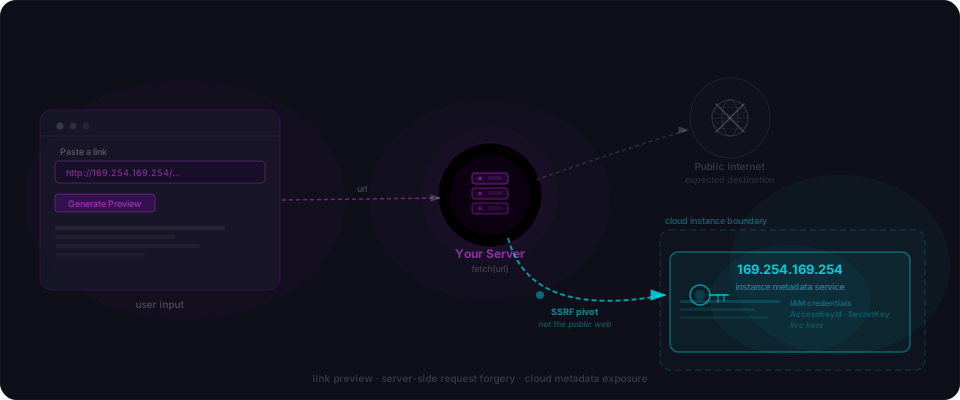
Your app fetches a URL the user supplies — without checking where that URL actually points.
SSRF shows up whenever your app makes an outbound HTTP request based on user input. AI generates this pattern in a few common features: URL previews, webhook configuration, file import from URL.
// AI-generated URL preview — fetches whatever URL the user provides
export async function POST(request) {
  const { url } = await request.json();
  const response = await fetch(url); // no validation
  const html = await response.text();
  // extract title, description, image...
}
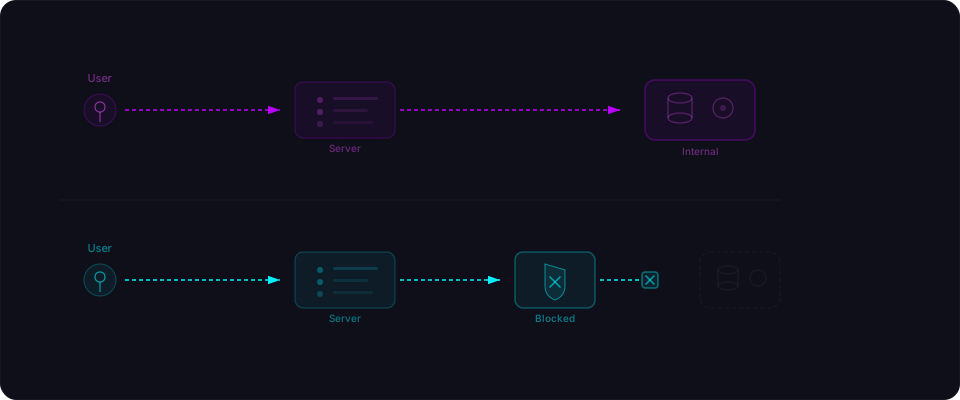
An attacker submits http://169.254.169.254/latest/meta-data/iam/security-credentials/. If your app runs on AWS, your server fetches its own IAM credentials and the attacker reads them from the preview response. On GCP the metadata URL is different; on Azure, different again. The pattern is the same.
The fix: validate the URL before fetching. Block private IP ranges, localhost, and cloud metadata addresses. Use an allowlist of accepted domains if possible:
function isSafeUrl(url) {
  try {
    const parsed = new URL(url);
    if (!["http:", "https:"].includes(parsed.protocol)) return false;
    // Block private/internal ranges
    const hostname = parsed.hostname;
    if (hostname === "localhost" || hostname === "127.0.0.1") return false;
    if (hostname.startsWith("169.254.") || hostname.startsWith("10.")
        || hostname.startsWith("192.168.") || hostname.startsWith("172.")) return false;
    return true;
  } catch {
    return false;
  }
}
The pattern connecting all ten
Every OWASP category is about the unexpected case. The wrong user, the malicious input, the manipulated request, the compromised dependency. The adversary.
AI excels at the expected case. Happy path. Right user, normal input, intended flow. What it doesn't optimize for is someone actively trying to break what it built — because nobody asked it to. You said "build a login page." You didn't say "build a login page that survives a password-spraying attack." So it doesn't.
That gap is OWASP.
Your action plan — starting right now
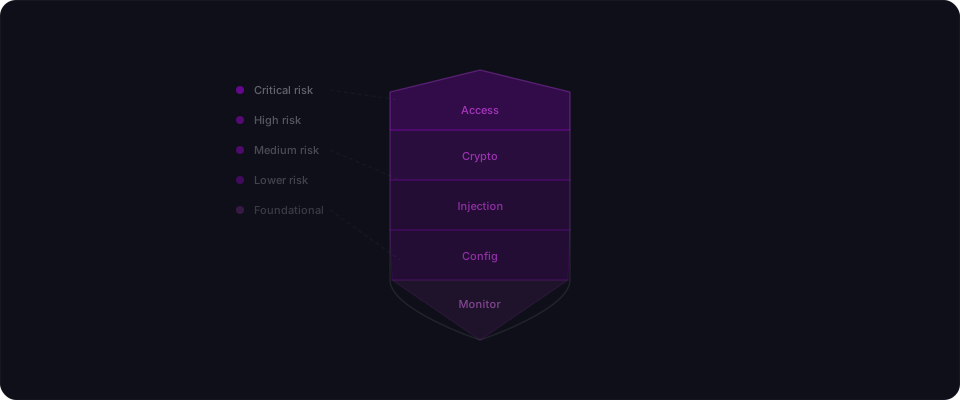
You don't need to be paranoid about all ten today. Start with the three that hit vibe-coded apps hardest. Each takes under five minutes.
1. Check your access controls (A01) — the #1 issue in AI-generated code.
Open DevTools Network tab while logged in. Pick an API endpoint that returns data (e.g., /api/invoices). Copy the curl request. Open an incognito window. Paste it:
curl https://yourapp.com/api/invoices -H "Cookie: ..."
No auth header, just the old session. If you get back anyone else's data, you have IDOR. That's the fix: add one where clause that checks ownership.
Using Supabase? RLS is disabled by default and AI never enables it. Open the console. Go to Authentication > Policies. Add a policy so users can only see their own rows. One click. That's it.
2. Find secrets in your bundle (A02) — 10 seconds.
Build locally:
npm run build
grep -r "sk_live\|sk-\|service_role" .next/static/
Anything that comes back is in your users' browsers. Rotate those keys immediately. Remove the NEXT_PUBLIC_ prefix from your env vars.
3. Add security headers (A05) — the easiest win.
Copy the next.config.js block from the A05 section above into your own config. One change. Five headers. Every response now defends against clickjacking, XSS, and iframe attacks. Done.
4. Then scan your app.
Paste your URL into Flowpatrol. Five minutes. See exactly where you stand on all ten categories — not theory, actual findings from your actual app. Fix what matters. Ship.