The 10-second check you should run right now
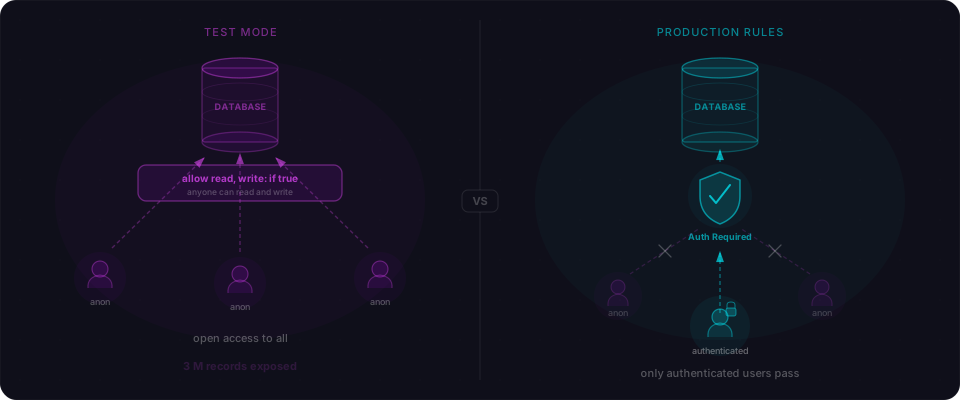
In January 2026, Moltbook launched to viral acclaim — Andrej Karpathy called it "the most incredible sci-fi takeoff-adjacent thing I've seen recently." Within 48 hours it had 1.5 million registered AI agents. Within 48 hours of that, Wiz researchers found the Supabase credentials sitting in the page source. The entire production database — every user record, every private message — was readable and writable by anyone.
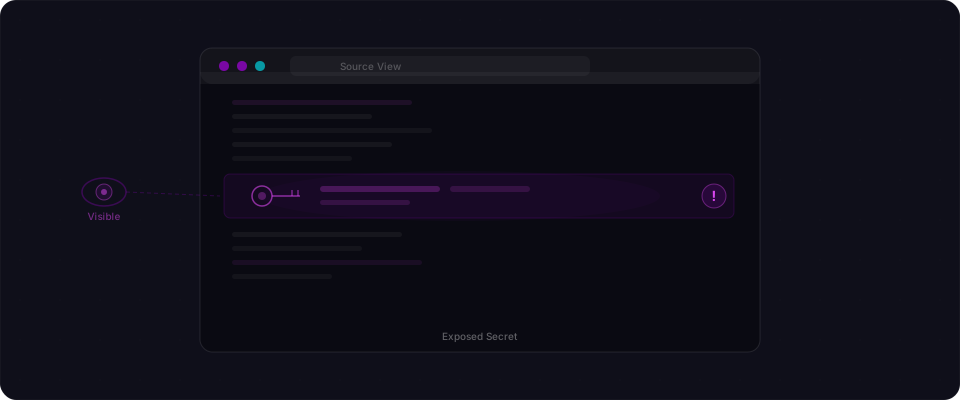
This is not theoretical. Automated scrapers crawl JavaScript bundles looking for leaked API keys at scale. They search for patterns like sk_live_, eyJhbGci (JWT headers), postgres://, and dozens more. When they find one, they either monetize it directly or sell access to the highest bidder. The average time between a key being published and it being exploited is measured in minutes.
Your app doesn't have to be viral to be targeted. The scrapers don't distinguish between a side project and a Series A startup. They just look for keys.
Run this one command against your live URL. It takes 10 seconds:
curl -s https://yourapp.com | grep -oE 'sk_live_[A-Za-z0-9]{20,}|sk-[A-Za-z0-9]{30,}|eyJ[A-Za-z0-9_-]{50,}'
If you see any output, rotate those keys immediately. That's the one thing that can't wait.
If nothing came back, you're not done — that only checked the HTML source. Secrets hide deeper, in the JavaScript bundle files themselves. Keep reading to find where.
The NEXT_PUBLIC_ trap: where AI makes its worst mistake
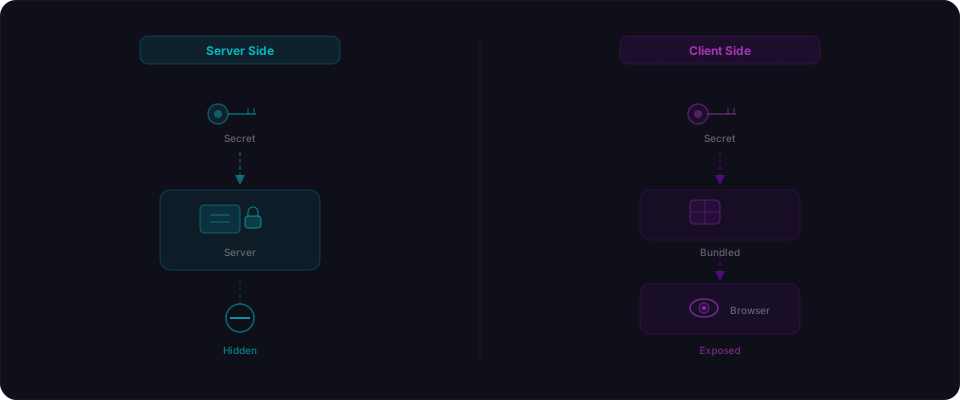
Next.js has one rule for environment variables. One prefix determines everything:
- Variables prefixed with
NEXT_PUBLIC_are inlined into the JavaScript bundle at build time. Every visitor downloads them. Forever. Anyone with DevTools can read them. - Variables without that prefix stay on the server only. Browsers never see them.
The trap: AI coding assistants don't understand this distinction. They see a secret key that the client needs and add NEXT_PUBLIC_ to make it work. The app runs. The build succeeds. The tests pass. Everything looks fine until someone opens DevTools and searches for sk_live_ in the Network tab.
When you ask Claude or an AI builder to add Stripe payments, it might generate:
const stripe = new Stripe(process.env.NEXT_PUBLIC_STRIPE_SECRET_KEY!);
That's your secret key, now in every visitor's JavaScript bundle. For the rest of time. Or until you rotate it.
# .env.local

# Stays on the server — safe
STRIPE_SECRET_KEY=sk_live_abc123def456

# Bundled into JavaScript — anyone can read it
NEXT_PUBLIC_STRIPE_SECRET_KEY=sk_live_abc123def456
Both live in the same file. Both look similar. The tests pass. The difference shows up when someone opens DevTools and searches your bundle.
Vite apps have the same trap
Bolt and Lovable apps are typically Vite-based. Vite uses VITE_ instead of NEXT_PUBLIC_. Same mechanics, same consequence.
# .env

# Server only — safe
STRIPE_SECRET_KEY=sk_live_abc123

# Bundled into client — exposed
VITE_STRIPE_SECRET_KEY=sk_live_abc123
If an AI-generated component needed your key, it likely used the VITE_ prefix. That variable is now in every visitor's browser.
The 60-second bundle scan
The page source is just HTML. The real secrets live in JavaScript bundles — the .js files that visitors download.
After your app builds, those files live in _next/static/chunks/ (Next.js) or dist/assets/ (Vite). They're completely public. Anyone can fetch them.
Test 1: Scan your local build
npm run build

# Next.js bundles
grep -r "sk_live\|sk_test\|service_role\|postgres://\|eyJ" .next/static/ 2>/dev/null

# Vite / Bolt / Lovable bundles
grep -r "sk_live\|sk_test\|service_role\|postgres://\|eyJ" dist/assets/ 2>/dev/null
If grep returns any matches, those strings are in files that every visitor downloads right now.
Test 2: Scan your live app without rebuilding locally
# Fetch a chunk and search for secrets (live check in 15 seconds)
curl -s https://yourapp.com \
  | grep -oE '"/_next/static/chunks/[^"]+"' \
  | head -3 \
  | while read path; do
      url="https://yourapp.com$(echo $path | tr -d '"')"
      curl -s "$url" | grep -oE 'sk_live_[A-Za-z0-9]+|sk-[A-Za-z0-9]{30,}|eyJ[A-Za-z0-9_-]{50,}'
    done
Notice the eyJ pattern. That's a JWT. If you find one, decode it:
# Decode any JWT you find
echo "eyJhbGciOiJIUzI1NiIsInR5cCI6IkpXVCJ9.eyJyb2xlIjoic2VydmljZV9yb2xlIn0.xyz" | cut -d. -f2 | base64 -d
# Output: {"role":"service_role"}
If the payload contains "role":"service_role", that's an admin database key. It bypasses Row Level Security entirely. Anyone visiting your site has full read/write access to your entire database. That's the Moltbook story.
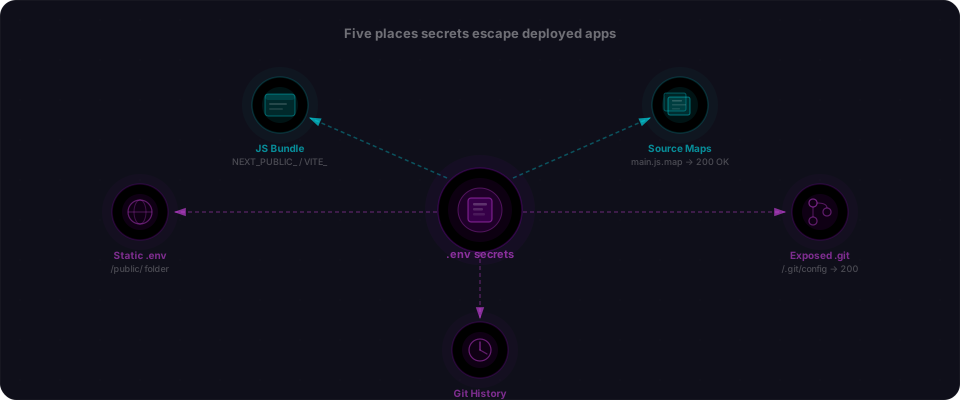
The five places nobody checks
The NEXT_PUBLIC_ prefix is the obvious one. These are the places builders miss.
1. Source maps
Source maps let DevTools show you the original unminified source. Useful for debugging — and in production, they expose everything, including inline environment variables from your original code.
# Check if source maps are publicly accessible
curl -I https://yourapp.com/_next/static/chunks/main.js.map
# 200 means your original source is readable by anyone
Next.js disables source maps in production builds by default, but many setups re-enable them. Check next.config.js for productionBrowserSourceMaps: true and remove it if it's there.
2. A .env file served as a static asset
Deployment platforms serve everything in your public/ folder. If .env ended up there — or if an AI-generated deploy script copied it somewhere under the web root — it's readable at your URL.
curl -s https://yourapp.com/.env
curl -s https://yourapp.com/.env.local
curl -s https://yourapp.com/.env.production
If any of those return 200 with key-value pairs, your secrets are fully public. This happens more than you'd expect with AI-generated deployment configurations.
3. .git exposed
If your repo is deployed in a way that leaves the .git directory publicly accessible, anyone can reconstruct your entire source history — including .env files you deleted years ago.
curl -s https://yourapp.com/.git/config
# If you see [core] or [remote "origin"], your git directory is public
A tool called git-dumper can reconstruct an entire repository from an exposed .git. Every commit. Every secret you ever added and deleted. All of it.
4. Vercel Preview environments — the scope trap
Vercel lets you scope environment variables to three environments: Production, Preview, and Development. Most builders don't know about this. They paste a secret into Vercel, click "save," and it gets applied to all three by default.
That means: every pull request preview URL contains your production secrets. Those preview URLs are shareable. Anyone you send a PR link to, any external reviewer, any contractor, any casual click-through sees your keys.
# Check what you've set
vercel env ls
In the Vercel dashboard: Project Settings → Environment Variables. For every secret in that list:
- Click it
- Make sure "Production" is checked
- Make sure "Preview" is UNCHECKED
- Make sure "Sensitive" is marked
If a production key is scoped to Preview, fix it immediately. The old preview URLs already have the secret. Rotate the key after you change the scope.
5. Git history
You committed .env. Realized the mistake. Deleted the file. Pushed again.
The file is gone from the current tree. It exists in every commit before the deletion. If the repo was ever public — even briefly — or gets made public later, those secrets are permanently accessible.
# Check if any .env files are tracked right now
git ls-files | grep -i "\.env"

# Search commit history for secret patterns
git log --all -S "sk_live" --oneline
git log --all -S "service_role" --oneline
git log --all -S "DATABASE_URL" --oneline
Any commits returned by those commands mean the value was committed at some point. Treat it as compromised and rotate.
What AI tools get wrong (with the fix)
The wrong way: secret key in a client component
// components/PaymentButton.tsx
"use client";

import Stripe from "stripe";

// This key is now in your JavaScript bundle — anyone can read it
const stripe = new Stripe(process.env.NEXT_PUBLIC_STRIPE_SECRET_KEY!);

export function PaymentButton() {
  const handlePayment = async () => {
    const session = await stripe.checkout.sessions.create({
      line_items: [{ price: "price_abc123", quantity: 1 }],
      mode: "payment",
      success_url: `${window.location.origin}/success`,
    });
    window.location.href = session.url!;
  };

  return <button onClick={handlePayment}>Buy Now</button>;
}
What's wrong: the Stripe secret key is prefixed with NEXT_PUBLIC_, so it's visible in your bundle. Anyone can open DevTools and find it. With your secret key, they can issue refunds, create charges, and read your entire Stripe account.
The right way: move the secret to an API route
// app/api/checkout/route.ts — server-side only
import Stripe from "stripe";

// No NEXT_PUBLIC_ prefix — this never reaches the browser
const stripe = new Stripe(process.env.STRIPE_SECRET_KEY!);

export async function POST(request: Request) {
  const { priceId } = await request.json();

  const session = await stripe.checkout.sessions.create({
    line_items: [{ price: priceId, quantity: 1 }],
    mode: "payment",
    success_url: `${process.env.NEXT_PUBLIC_APP_URL}/success`,
    cancel_url: `${process.env.NEXT_PUBLIC_APP_URL}/cancel`,
  });

  return Response.json({ url: session.url });
}
// components/PaymentButton.tsx
"use client";

export function PaymentButton() {
  const handlePayment = async () => {
    // Call your server — your server calls Stripe
    const res = await fetch("/api/checkout", {
      method: "POST",
      headers: { "Content-Type": "application/json" },
      body: JSON.stringify({ priceId: "price_abc123" }),
    });
    const { url } = await res.json();
    window.location.href = url;
  };

  return <button onClick={handlePayment}>Buy Now</button>;
}
The secret key never leaves your server. The browser calls your API route. Your API route calls Stripe. The visitor's browser never sees sk_live_anything.
The secrets worth protecting most
These are the keys that turn a misconfigured app into a real incident:
| Secret | What someone does with it |
|---|---|
STRIPE_SECRET_KEY | Issue refunds, create charges, export customer data |
OPENAI_API_KEY | Run up your bill — thousands of dollars in hours |
SUPABASE_SERVICE_ROLE_KEY | Bypass every RLS policy, full database access |
DATABASE_URL | Read, modify, or delete your entire database |
AWS_SECRET_ACCESS_KEY | Access any AWS service your IAM role touches |
JWT_SECRET | Forge authentication tokens for any account |
RESEND_API_KEY / SENDGRID_API_KEY | Send email as you — phishing, account takeover |
None of these should have NEXT_PUBLIC_ or VITE_ in front of them. None of them should appear in a bundle, a source map, a git commit, or a .env file sitting in your public/ folder.
The Supabase case is worth calling out specifically. Supabase has two keys:
anonkey: designed to be public. Safe in client code — but only if Row Level Security is enabledservice_rolekey: full admin access. Bypasses all RLS. Must never reach a browser.
# Safe — this is meant to be public
NEXT_PUBLIC_SUPABASE_URL=https://xxx.supabase.co
NEXT_PUBLIC_SUPABASE_ANON_KEY=eyJhbGciOi...

# Never add NEXT_PUBLIC_ here. This bypasses your entire database security model.
SUPABASE_SERVICE_ROLE_KEY=eyJhbGciOi...
If you see NEXT_PUBLIC_SUPABASE_SERVICE_ROLE_KEY anywhere, fix it before anything else.
The one question that catches most issues
When AI-generated code uses an environment variable, ask:
"Does the browser need to know this value?"
If yes (your app's public URL, a Supabase anon key, a public analytics token) — NEXT_PUBLIC_ or VITE_ is correct.
If no (any secret key, any database URL, any service role credential) — the variable stays server-side. If the AI put the usage in a client component, move it to an API route or Server Action. The component calls your endpoint; your endpoint calls the service.
That question catches the majority of env exposure issues before they ship.
What to do if you find a leak
Move fast. If a secret was in a public bundle, it may already have been indexed by scanners that crawl GitHub, JavaScript bundles, and public deploys.
- Rotate the key immediately. Go to each provider's dashboard and generate a new key. Revoke the old one. Do this before anything else.
- Fix the code. Remove
NEXT_PUBLIC_orVITE_from any secret variable. Move usage to server-side code. - Redeploy. Push the fix, update env vars in your hosting dashboard, redeploy.
- Check for damage. Review your Stripe dashboard for unexpected charges. Check OpenAI usage for spikes. Look at Supabase logs for unusual queries.
- Clean git history if the repo was ever public.
git-filter-repocan remove secrets from previous commits. But assume the old values are compromised — rotation is non-negotiable.
The whole process takes thirty minutes. Waiting costs more.
Check your app right now
Six commands. Run them before you share your URL with anyone.
# 1. Check page source for obvious leaks
curl -s https://yourapp.com | grep -oE 'sk_live_[A-Za-z0-9]+|sk-[A-Za-z0-9]{30,}|eyJ[A-Za-z0-9_-]{60,}'

# 2. Scan the JavaScript bundles (the real hiding spot)
curl -s https://yourapp.com \
  | grep -oE '"/_next/static/chunks/[^"]+"' \
  | head -10 \
  | while read path; do
      curl -s "https://yourapp.com$(echo $path | tr -d '"')" \
        | grep -oE 'sk_live_[A-Za-z0-9]+|sk-[A-Za-z0-9]{30,}|eyJ[A-Za-z0-9_-]{50,}'
    done

# 3. Check if .env files are being served as static assets
for f in .env .env.local .env.production; do
  code=$(curl -o /dev/null -s -w "%{http_code}" "https://yourapp.com/$f")
  echo "$f: $code"
done

# 4. Check if .git is exposed
curl -s https://yourapp.com/.git/config | head -3

# 5. Build locally and grep the output (most thorough)
npm run build && grep -r "sk_live\|sk_test\|service_role\|postgres://" .next/static/ dist/assets/ 2>/dev/null

# 6. List every NEXT_PUBLIC_ variable you're exposing
grep "NEXT_PUBLIC_" .env* 2>/dev/null
For every NEXT_PUBLIC_ variable that comes back in step 6: ask whether you'd post that value publicly on Twitter. If no, remove the prefix and move the usage server-side.
For any eyJ... string that turns up: decode it with echo "THE_TOKEN" | cut -d. -f2 | base64 -d. If the payload contains "role":"service_role", that key needs to move off the client immediately.
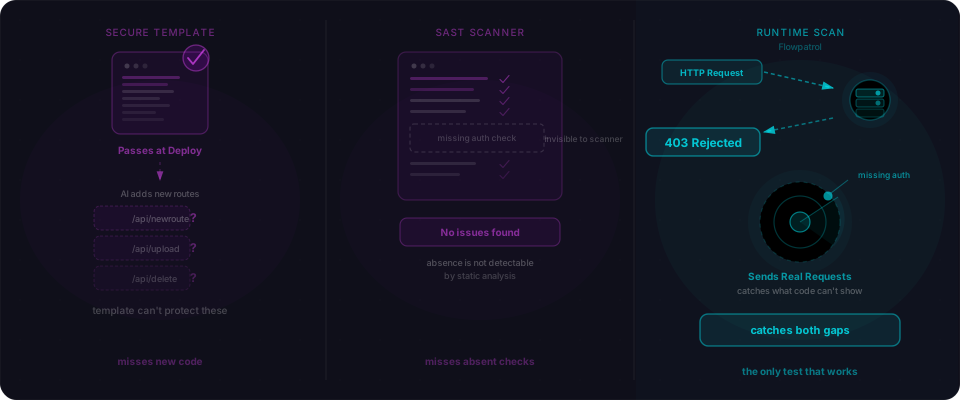
If you want these checks automated against your live URL, paste it into Flowpatrol. It scans your bundles, source maps, git history, and static files for leaked secrets in under five minutes. No signup required. You get a full report with exactly what leaked, where it leaked from, and how to fix it.
Do it right now if you just shipped something. Before you share the URL with anyone. Before you add users. Five minutes. That's all it takes to know you're clean.