ORMs were supposed to fix this
The year is 2026. You're building with Cursor or Bolt. You're using Prisma or Drizzle. You have heard that SQL injection is a 1990s problem, solved by the frameworks you're already using.
You're right. And you might still have it.
Every ORM ships with an escape hatch — a way to drop down to raw SQL when the query builder can't express what you need. Prisma has $queryRaw. Drizzle has sql.raw(). Sequelize has sequelize.query(). These exist for legitimate reasons: complex joins, recursive CTEs, database-specific functions.
When you ask an AI to build a search endpoint and the generated query builder syntax doesn't quite work, it reaches for the escape hatch. And then it writes the raw SQL the same way developers wrote it in 2003 — with template literals and string concatenation, with user input stitched directly into the query string.
The ORM that was supposed to protect you is still there in your import statement. But the protection stopped at the line where AI swapped in raw SQL.
This is the specific pattern showing up in AI-generated apps in 2026. It's not theoretical. It's a predictable failure mode of how AI coding tools work. Here's exactly what it looks like, where it hides, and how to find it in your codebase.
What AI actually types when you ask for a search endpoint
Open Cursor, Bolt, or Lovable. Type a prompt like this:
Add a search endpoint to /api/users that filters by name or email
Here's what comes back:
// What Cursor/Bolt generates — search endpoint
app.get("/api/users/search", async (req, res) => {
  const { q } = req.query;
  const users = await prisma.$queryRaw`
    SELECT * FROM "User"
    WHERE name ILIKE '%${q}%' OR email ILIKE '%${q}%'
  `;
  res.json(users);
});
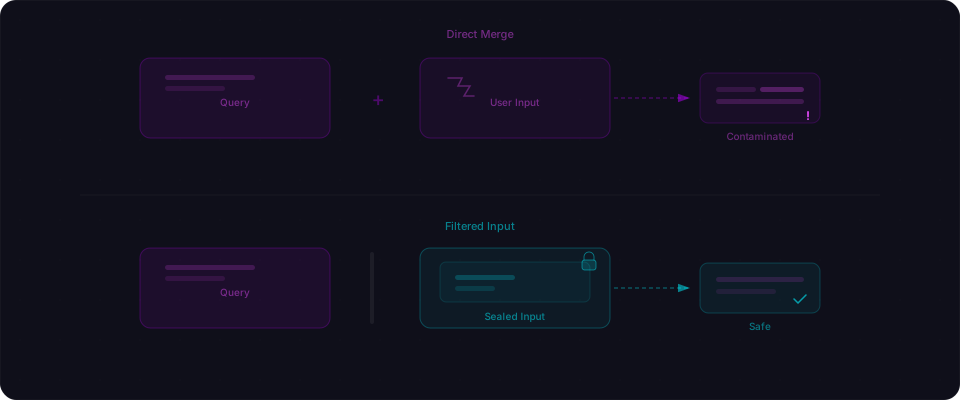
This looks safe. $queryRaw is Prisma's tagged template — it's supposed to parameterize every interpolated value. And it does, mostly. But the %${q}% pattern breaks it in a subtle way: when ${q} is wrapped in SQL string syntax ('%...%'), Prisma's template engine receives the string-embedded fragment and the boundary between data and SQL structure collapses.
The fix is one line. Build the pattern in JavaScript first, then pass the whole thing as a single expression:
// Fixed — build the LIKE pattern before interpolation
app.get("/api/users/search", async (req, res) => {
  const { q } = req.query;
  const pattern = `%${q}%`;
  const users = await prisma.$queryRaw`
    SELECT * FROM "User"
    WHERE name ILIKE ${pattern} OR email ILIKE ${pattern}
  `;
  res.json(users);
});
Now ${pattern} is a single, complete expression. Prisma parameterizes it cleanly — $1 in the final query, value passed separately. User input never touches SQL structure.
Or better: skip raw SQL entirely.
// Best — query builder, no raw SQL
app.get("/api/users/search", async (req, res) => {
  const { q } = req.query;
  const users = await prisma.user.findMany({
    where: {
      OR: [
        { name: { contains: q, mode: "insensitive" } },
        { email: { contains: q, mode: "insensitive" } },
      ],
    },
  });
  res.json(users);
});
The Drizzle version of the same mistake
Drizzle has two different raw SQL functions and they behave completely differently. AI mixes them up constantly.
// Drizzle — SAFE: tagged template, automatic parameterization
const result = await db.execute(
  sql`SELECT * FROM users WHERE email = ${email}`
);

// Drizzle — UNSAFE: sql.raw() takes a plain string, no parameterization
const result = await db.execute(
  sql.raw(`SELECT * FROM users WHERE email = '${email}'`)
);
The first is fine. sql is a tagged template that parameterizes every interpolated expression. The second — sql.raw() — takes a plain string. Whatever you concatenate into it goes straight to the database.
When AI writes Drizzle code for complex queries, it lands on sql.raw() because it's the most direct path from "write SQL" to "run it." The safe version exists and does the same thing — but it rarely makes it into generated code.
Same pattern in Sequelize:
// Sequelize — safe, uses model methods
await User.findAll({ where: { email } });

// Sequelize — AI-generated escape hatch, vulnerable
await sequelize.query(
  `SELECT * FROM users WHERE email = '${email}'`
);
The ORM is doing exactly what it's supposed to on every other query. But wherever AI reached for raw SQL, the protection stops.
The ORDER BY trap that parameterization can't fix
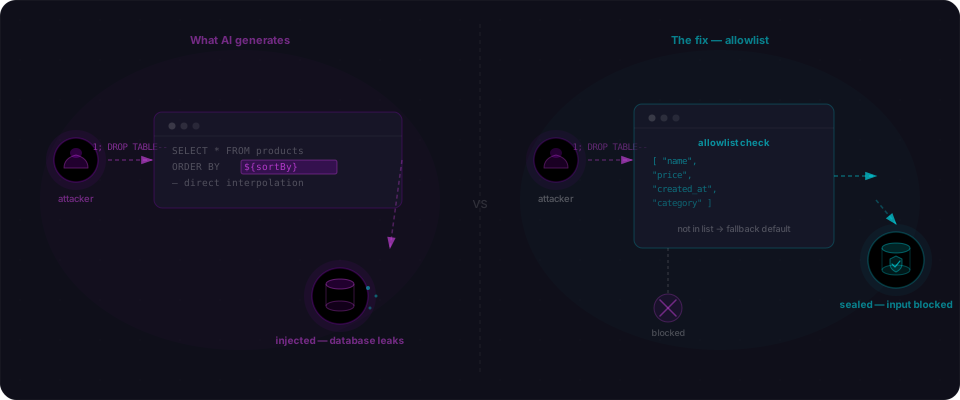
This one catches people even when they know about SQL injection. You're building a table with sortable columns. You ask the AI to add dynamic sorting. It generates this:
app.get("/api/products", async (req, res) => {
  const { sortBy, order } = req.query;
  const result = await pool.query(
    `SELECT * FROM products ORDER BY ${sortBy} ${order}`
  );
  res.json(result.rows);
});
Here's the thing: parameterized queries only work for values. You can write WHERE price > $1. You cannot write ORDER BY $1 — the database expects a column identifier there, not a string value. If you try to parameterize it, the query either errors or sorts by a literal string instead of a column name.
So even developers who know better get stuck. The query builder can't help here either — you have to touch SQL structure.
The answer is an allowlist. Not validation. Not sanitization. A hardcoded list of column names and sort directions that are the only values ever allowed into the query:
// Fixed — allowlist, not parameterization
app.get("/api/products", async (req, res) => {
  const { sortBy, order } = req.query;

  const allowedColumns = ["name", "price", "created_at", "category"];
  const allowedOrders = ["ASC", "DESC"];

  const column = allowedColumns.includes(sortBy) ? sortBy : "created_at";
  const direction = allowedOrders.includes(order?.toUpperCase())
    ? order.toUpperCase()
    : "ASC";

  const result = await pool.query(
    `SELECT * FROM products ORDER BY ${column} ${direction}`
  );
  res.json(result.rows);
});
The user input never touches the query. The code checks it against known-good values and falls back to a safe default if anything unexpected appears. AI almost never generates this. It goes straight to interpolation.
What the actual attack looks like
If you've never run one against your own code, here's what happens with the classic login pattern AI generates:
const { username, password } = req.body;
const result = await pool.query(
  `SELECT * FROM users
   WHERE username = '${username}'
   AND password = '${password}'`
);
if (result.rows.length > 0) {
  // authenticated
}
Attacker sends this as the username:
admin' --
The query your database receives:
SELECT * FROM users
WHERE username = 'admin' --' AND password = 'anything'
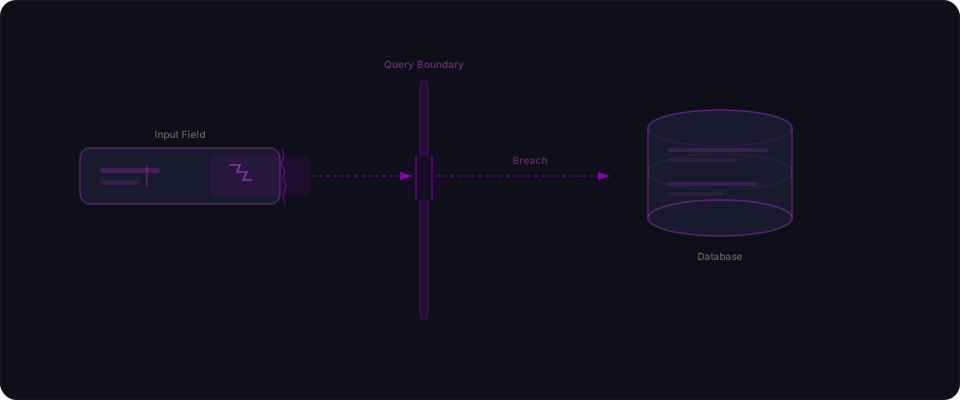
-- starts a SQL comment. Everything after it disappears. The query becomes "find the user named admin" with no password check. The attacker is in.
For data extraction, UNION injection works against any vulnerable search or filter endpoint:
' UNION SELECT username, password_hash, null, null FROM users --
That gets appended to a product search query and returns your users table where search results would normally appear. Automated tools like SQLMap discover and exploit these patterns in seconds.
Why AI generates this — and why it will keep happening
AI coding tools learned to write code by training on the internet — Stack Overflow answers, tutorials, GitHub repos, documentation from every era of web development.
Pre-2010 tutorials almost universally used string concatenation because that was the pattern. Those tutorials are still indexed, still referenced. The AI has no concept of "this pattern was considered insecure by 2008." It optimizes for one signal: does this pattern appear frequently in code that accomplishes the task?
String concatenation in SQL queries appears constantly, associated with exactly the use cases you're asking about.
The second reason is more fundamental: AI doesn't model adversarial input. When you ask it to build a search endpoint, it's thinking about the happy path — a normal user typing a normal search term. There's no moment where it asks "what if the input is '; DROP TABLE users; --?" There's no threat modeling step. There's no attacker in the simulation.
This won't change soon. The training data problem compounds with every new tutorial written in the old style, and the adversarial-thinking gap is structural — it requires a different framing of what "correct code" means. For now, the burden is on you to know what to look for.
How to find this in your codebase right now
These commands catch the majority of SQL injection patterns AI introduces. Run them from your project root.
Find template literals inside SQL strings
# Flag interpolated values inside SQL — TypeScript and JavaScript
grep -rn "SELECT.*\${" --include="*.ts" --include="*.js" .
grep -rn "INSERT.*\${" --include="*.ts" --include="*.js" .
grep -rn "UPDATE.*\${" --include="*.ts" --include="*.js" .
grep -rn "DELETE.*\${" --include="*.ts" --include="*.js" .
grep -rn "WHERE.*\${" --include="*.ts" --include="*.js" .
grep -rn "ORDER BY.*\${" --include="*.ts" --include="*.js" .
Any match is worth reviewing. Check whether the interpolated value comes from user input.
Find the ORM escape hatches
# Prisma — all raw query methods need a manual check
grep -rn "\$queryRaw\|\$executeRaw\|\$queryRawUnsafe" --include="*.ts" .

# Drizzle — sql tagged template is fine; sql.raw() needs review
grep -rn "sql\.raw(" --include="*.ts" .

# Sequelize raw queries
grep -rn "sequelize\.query(" --include="*.ts" --include="*.js" .

# Any .raw() call — catches pg, mysql2, and other drivers
grep -rn "\.raw(" --include="*.ts" --include="*.js" .
Raw queries aren't automatically broken — but every one needs a manual check. Confirm that user input is parameterized, not concatenated.
The fix checklist
For every query that touches user input:
-
Use the query builder first. If Prisma's
findMany,where, orfindFirstcan express what you need, use them. Raw SQL is the last resort. -
When you must use raw SQL, parameterize correctly. Pass the complete value as a single interpolated expression — not wrapped in SQL string syntax.
sql\WHERE email = ${email}`works.sql`WHERE email = '${email}'`` does not. -
For column names and SQL keywords, use an allowlist. Parameterization can't protect identifiers. Build a hardcoded list of valid column names and sort directions. Reject anything not on it.
-
Never use
$queryRawUnsafeorsql.raw()with user input. These exist for truly static SQL. The moment user input touches them, you're back to raw string concatenation. -
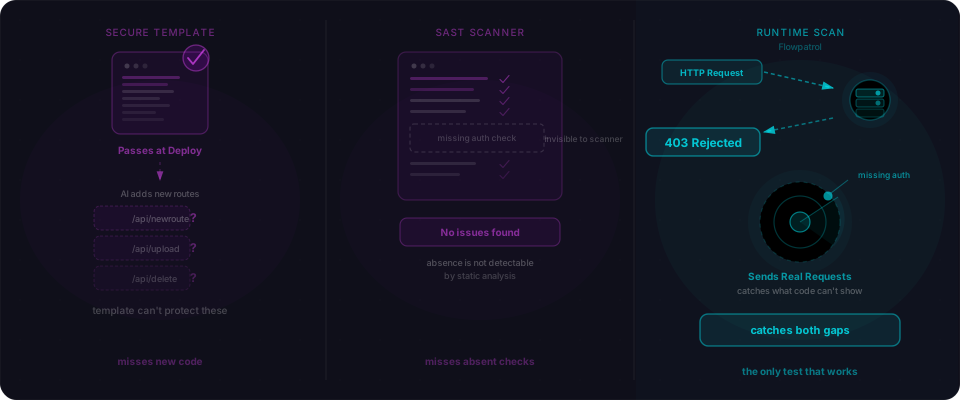
Scan your running app, not just your code. Static grep catches some of this. A black-box scanner that actually sends injection payloads to your endpoints catches what grep misses — including patterns that look safe in code but behave differently at runtime.
What you should do right now
You shipped something. It's live. Here's the 10-minute check:
-
Run the grep commands above. Flag every
${inside a query string. Flag every$queryRaw,sql.raw(),sequelize.query(). -
For each match: is the interpolated value from user input? If yes, is it parameterized correctly — not wrapped in SQL string syntax, not concatenated with
+? -
Check your ORDER BY and dynamic column patterns. If sorting column or direction comes from a query parameter, verify there's an allowlist.
ORDER BY ${req.query.sort}is vulnerable. -
Scan your live endpoints. Paste your URL into Flowpatrol. It sends real injection payloads to every endpoint it discovers — search fields, sort parameters, login forms, filter inputs. The grep tells you what's in the code; the scan tells you what's actually exploitable.
SQL injection has a clear signature: user input flowing into query structure without parameterization. The patterns are specific. They're findable. Each one is fixable in under five minutes.
SQL injection: documented in 1998, back in production in 2026 — not because the tools got worse, but because AI reaches for the escape hatch.