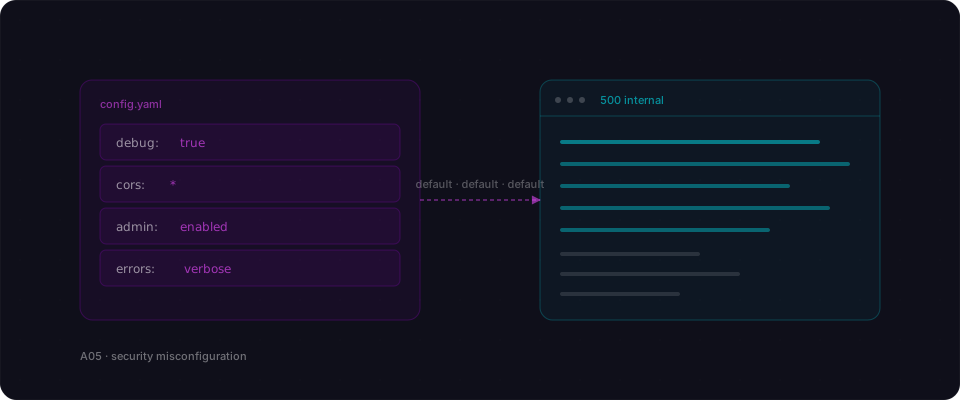
Most of the big Firebase breaches of the last two years were not exploits. They were settings. The rule that should have said 'only the owner can read this' said 'anyone can read this' instead, because the default is open and nobody flipped the switch. The code did exactly what the code was told.
Security misconfiguration is the category for bugs that live in settings rather than code. Open database rules, missing security headers, debug endpoints left on, wildcard CORS, permissive S3 ACLs, verbose error pages. Each one is a checkbox somebody did not untick. The code runs fine — the environment is the vulnerability.
What your AI actually built
You asked for a Firebase or Supabase backend and the model set it up. Tables exist, the frontend talks to them, reads and writes go through. When you tested as yourself, everything worked.
What the model did not do was lock the defaults. The Firestore rules allow read, write if true. Row Level Security is turned off on every table. CORS is wide open because the local dev config leaked into production. Error pages show stack traces and the framework version. Each setting is a doorway that was never closed, because none of them were code you wrote.
The same story plays out in debug endpoints that ship enabled, admin panels on a predictable path, S3 buckets with public list permission, and headers like X-Powered-By that cheerfully tell you exactly which CVE to look up. There is no bug. Just a hundred small knobs, all turned to the wrong default.
How it gets exploited
The attacker opens the app in a browser and watches the network tab. The Firebase project ID is right there in the client bundle.
- 1Grab the configThey copy the Firebase config from the page source. That is the whole handshake — no auth required to start talking to the database.
- 2List the collectionsThey point the Firebase SDK at the same project and call listCollections. The rules are 'allow read: if true'. Every collection comes back.
- 3Read everythingUsers, orders, messages, uploaded files, internal tickets. A 40-line script dumps it all to disk in the time it takes to make coffee.
- 4Check the writesThe write rule is the same. They can update any record, including the role field on their own user. Now they are admins of an app they never signed up for.
The attacker has a full copy of production, write access to every row, and the ability to impersonate any account — all without exploiting a single line of code the builder wrote.
Vulnerable vs Fixed
// firestore.rules
rules_version = '2';
service cloud.firestore {
  match /databases/{database}/documents {
    match /{document=**} {
      // dev default — everything is open
      allow read, write: if true;
    }
  }
}// firestore.rules
rules_version = '2';
service cloud.firestore {
match /databases/{database}/documents {
match /users/{userId} {
allow read, write: if request.auth != null
&& request.auth.uid == userId;
}
match /orders/{orderId} {
allow read, write: if request.auth != null
&& request.auth.uid == resource.data.ownerId;
}
}
}No code change — just the rules file. Every collection needs an explicit match block, and every block needs an ownership check. The default-open wildcard goes away entirely. This is the single setting behind most of the Firebase headlines of the last two years.
A real case
Cal AI leaked 3 million health records from an open Firestore
The Cal AI app exposed 3 million health records because its Firestore rules were left as the default wide-open policy — no code was broken, only a setting.
Read the case studyRelated reading
References
Find every default your app shipped with.
Flowpatrol scans the settings attackers actually look at — headers, rules files, CORS, debug paths — and tells you which doors are still open.
Try it free