The loop is almost complete
You type a sentence. An agent builds an auth flow, sets up a database, wires up Stripe, and deploys to a preview URL. You click around, tweak the prompt, and ship. SaaS products in a weekend. Internal tools in an afternoon. MVPs between breakfast and lunch.
But the loop has one missing step. The agent writes code. The agent deploys. The agent even writes tests. What it doesn't do: check whether the thing it just built is secure.
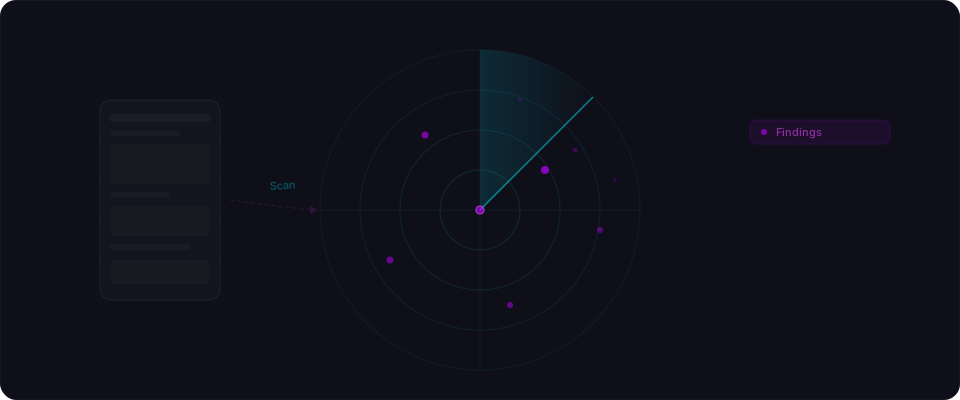
That step exists. It's technically possible right now. Agents can scan, find issues, and fix them — all before you even review the PR. They just don't, because nobody wired security into the build loop.
The security gap in agent workflows
The problem: agents optimize for shipping, not securing.
You say "build me a task app." The agent generates a database schema, wires up authentication, builds the frontend. The app ships. Users log in. The UI works.
What the agent didn't check:
- Is Row Level Security enabled on the database? (Usually: no. The schema has user_id columns but no RLS policies.)
- Is the Supabase service role key in the client bundle? (Often: yes. Found in Next.js static chunks.)
- Can an authenticated user read another user's data by changing a URL parameter? (Frequently: yes. No authorization checks on API endpoints.)
- Are secrets hardcoded in environment variable defaults? (Sometimes: yes. STRIPE_SECRET_KEY visible in git history.)
None of these are exotic. They're the patterns that appear in almost every vibe-coded app that's never been scanned. The agent generates working code. The code has vulnerabilities. Nobody asked the agent to verify the code was secure — just that it worked.
Agents are fast. They're also optimizing for the wrong metric.
Closing the loop
Agents don't have to skip security. They just need the right tool.
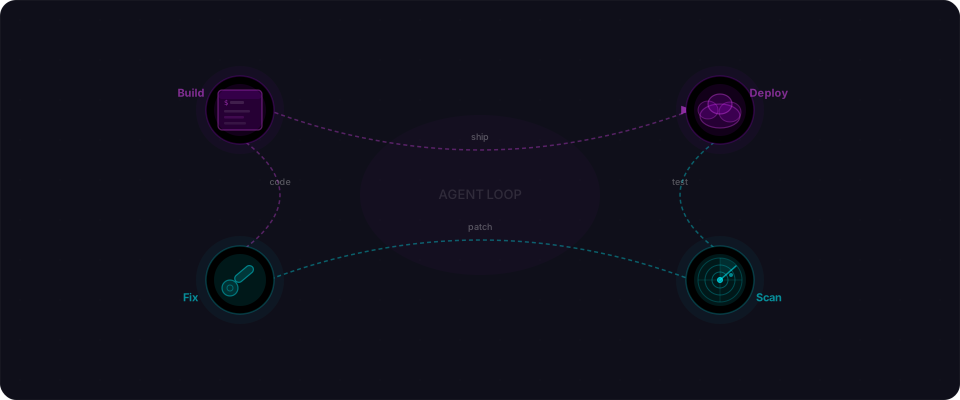
Here's what an agent-secured workflow looks like:
- Agent builds and deploys to a preview
- Agent calls Flowpatrol's API with the preview URL
- Agent reads the findings as structured JSON
- Agent applies fixes directly to the codebase
- Agent rescans to verify fixes worked
- You review a clean build
The agent handles the security loop the way it handles testing. Same automation. Same speed. You just review the result, not the process.
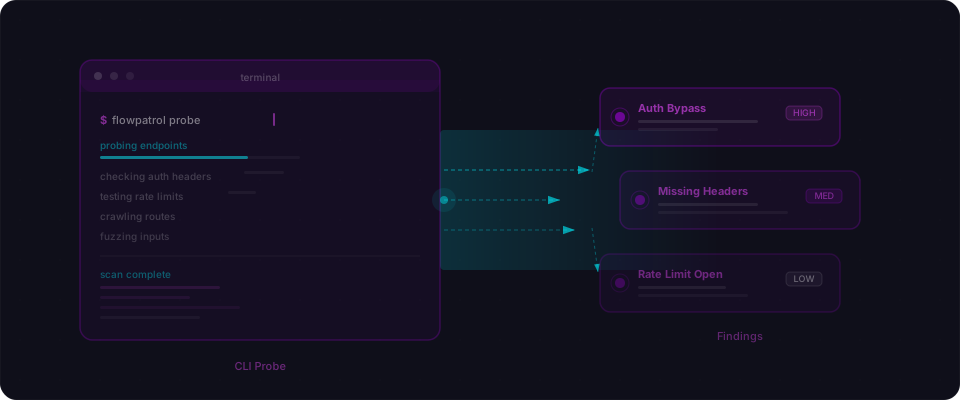
Flowpatrol exposes a REST API and an MCP server that agents can call. The agent sends a URL, gets structured findings back, applies fixes, and verifies them — all in minutes, before you even see the PR.
Three ways this works in practice
1. MCP in your coding agent
Claude Code, Cursor, and Windsurf support MCP tools. Add Flowpatrol's MCP server, and the agent can call flowpatrol_scan mid-session.
You're building a feature. The agent writes the code, deploys a preview, then runs a scan before finishing:
# The agent calls this automatically via MCP
flowpatrol_scan --url https://preview-abc123.lovable.app
The response is structured JSON — each finding includes severity, what's wrong, and a fix suggestion the agent can parse and apply directly:
{
  "findings": [
    {
      "severity": "critical",
      "title": "Missing Row Level Security on 'orders' table",
      "cwe": "CWE-862",
      "endpoint": "/rest/v1/orders",
      "fix": "Enable RLS and add a policy restricting SELECT to auth.uid() = user_id"
    },
    {
      "severity": "high",
      "title": "Service role key in client bundle",
      "cwe": "CWE-798",
      "endpoint": "/_next/static/chunks/app-layout-3fa8b.js",
      "fix": "Move SUPABASE_SERVICE_ROLE_KEY to server-side environment variables"
    }
  ]
}
The agent applies the fixes, rescans to confirm they worked, and opens the PR clean. The whole thing adds maybe five minutes to a workflow that already took an hour.
2. API in CI/CD
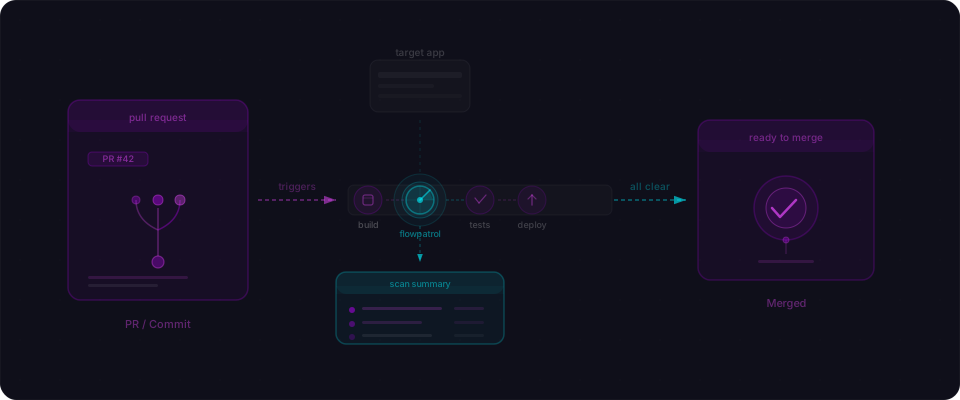
Every preview deploy triggers a Flowpatrol scan via GitHub Actions. Critical findings block the merge. The agent gets the results as PR comments and fixes them in the next commit.
# .github/workflows/security-scan.yml
- name: Scan preview deploy
  run: |
    curl -X POST https://api.flowpatrol.ai/v1/scans \
      -H "Authorization: Bearer ${{ secrets.FLOWPATROL_API_KEY }}" \
      -H "Content-Type: application/json" \
      -d '{"url": "${{ steps.deploy.outputs.preview_url }}"}'
The agent that built the feature sees the findings, fixes them, and pushes again. No human needed in the loop for common issues like missing RLS or exposed keys.
3. Scheduled monitoring
A weekly scan catches regressions. Maybe a new deploy accidentally exposed an admin endpoint. Maybe a database migration dropped an RLS policy. The monitoring agent catches it, opens an issue, or auto-fixes.
# Cron: every Monday at 9am
0 9 * * 1 curl -X POST https://api.flowpatrol.ai/v1/scans \
  -H "Authorization: Bearer $FLOWPATROL_API_KEY" \
  -d '{"url": "https://myapp.com", "notify": "slack"}'
Three patterns. Same idea: security becomes part of the agent's workflow, not a separate manual step.
Built for machines, not PDFs
Most security tools produce reports designed for human eyes. PDF exports. Color-coded dashboards. Executive summaries. That's fine when a human is running the scan and reading the output.
But when an agent is the one scanning and fixing, the output needs to be different. It needs to be structured, parseable, and actionable without human interpretation.
Flowpatrol's API returns JSON. Every finding includes:
- Severity — critical, high, medium, low
- CWE code — the standard identifier for the issue type
- Endpoint evidence — the exact URL and request that triggered the finding
- Reproduction steps — what to send, what comes back
- Fix suggestion — specific, code-level guidance the agent can apply directly
This is intentional. We built the API for agents to parse, not humans to skim. An agent can read a finding, understand the fix, apply it to the codebase, and verify it worked — all in a single loop iteration.
What this means for you
Your agent already builds. Already deploys. Already writes tests. Adding security scanning is one more tool call — one API endpoint, one MCP config line. The agent handles the rest.
The ecosystem is heading here. CI/CD became standard for testing. Agent-driven security scanning is becoming standard for shipping — not because builders are forced, but because closing the loop makes their apps better and faster.
You built something real. Your agent helped you get there fast. Now give it the tools to make the result solid.
Start here
-
Scan your app first. Paste your URL at flowpatrol.ai. See what comes back. Five minutes. No setup. Free.
-
Give the findings to your agent. Share the scan report with Claude Code, Cursor, or your API. It already knows how to fix RLS, move secrets, add auth checks. Let it work.
-
Wire it in permanently. Once you've seen it work, add Flowpatrol to your workflow. MCP in your editor, or an API call in CI. Every deploy gets scanned. Every finding gets fixed. Every fix gets verified.
Your agent builds fast. Make it build secure too.