TL;DR
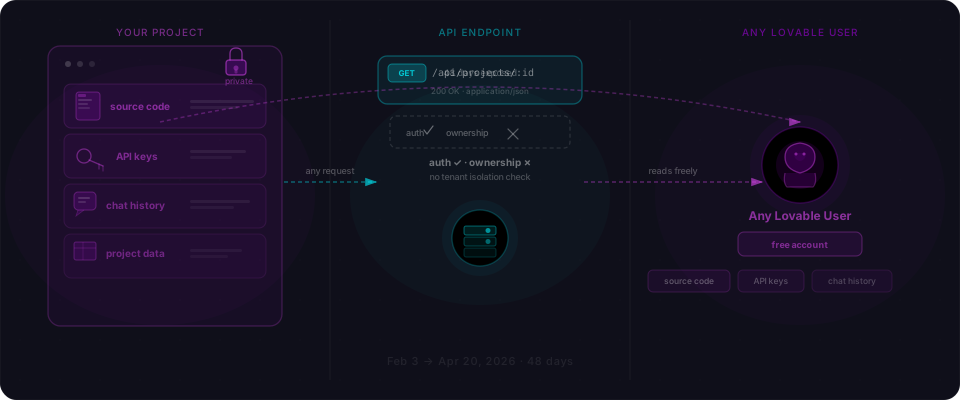
The single most common bug in AI-generated REST APIs isn't a bad check — it's a missing one. The handler confirms you're logged in and then hands you whatever row you asked for, regardless of whether it's yours.
The drill in 60 seconds
No Docker, no framework scaffold, no repo to clone. One file, two curls, one patch. You'll save a 30-line Express server, run two requests against it, and see the exact shape of the bug that sits in a large fraction of every /api/things/:id route an AI code generator has ever written.
Step 1 — Save this file (30 seconds)
Install Express once: npm install express. Then drop this into app.js.
// app.js
// This is the exact pattern AI code generators produce by default:
// parse the id, look it up, return it. Authentication is checked.
// Authorization — "is the caller allowed to see THIS row?" — is not.
const express = require('express');
const app = express();

const users = [
  { id: 1,  email: 'founder@example.com', role: 'admin',  phone: '+1-415-555-0101' },
  { id: 2,  email: 'ops@example.com',     role: 'admin',  phone: '+1-415-555-0102' },
  { id: 3,  email: 'alice@example.com',   role: 'member', phone: '+1-415-555-0103' },
  { id: 47, email: 'you@example.com',     role: 'member', phone: '+1-415-555-0147' },
];

// Fake auth middleware: pretend the caller is logged in as user 47.
function authenticate(req, res, next) {
  req.user = { id: 47 };
  next();
}

app.get('/api/users/:id', authenticate, (req, res) => {
  if (!req.user) return res.status(401).json({ error: 'Unauthorized' });
  const user = users.find(u => u.id === Number(req.params.id));
  if (!user) return res.status(404).json({ error: 'Not found' });
  return res.json(user);
});

app.listen(3000, () => console.log('listening on http://localhost:3000'));
Nothing exotic. This is the handler pattern every Express, Next.js, Fastify, and Nest quickstart demonstrates, and the one AI code generators reach for first.
Step 2 — Run it (5 seconds)
npm install express && node app.js
You should see listening on http://localhost:3000.
Step 3 — Change a 1 to a 2 (20 seconds)
First, the sanity check. Ask for your own record.
curl http://localhost:3000/api/users/47
That returns your row. Feels fine. Now change the number.
curl http://localhost:3000/api/users/1
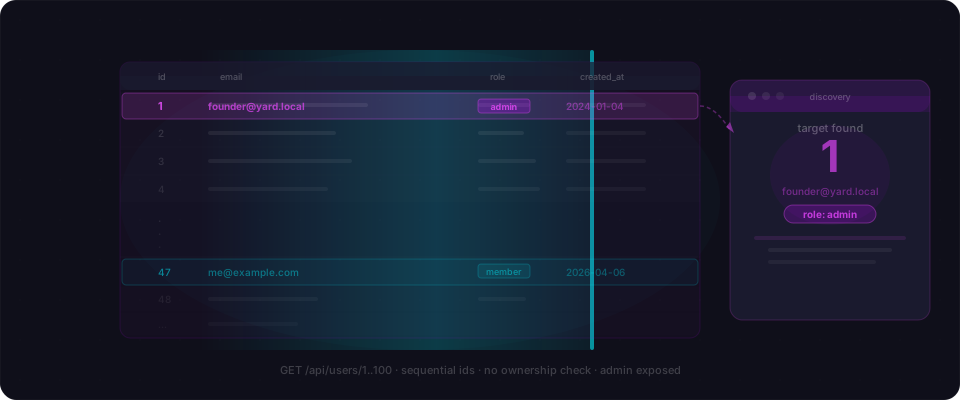
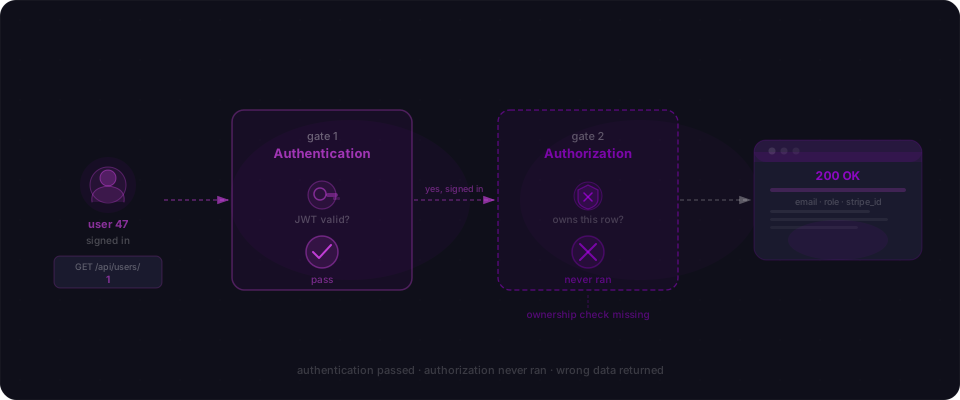
That's the punchline. The server checked you were logged in. It did not check you were allowed to see the thing you asked for. You're user 47. You just read the admin's full record — email, phone, role — by typing a different number.
What just happened
Four bullets, then we move on.
- The handler uses authentication (
req.useris set) as the gate. - It never compares the requested row's owner against
req.user.id. - "Logged in" and "allowed to see this specific row" are two different sentences. The handler only speaks the first one.
- AI code generators conflate the two because the quickstart examples they learned from conflate them. SAST tools can't catch it either — there is no bad pattern to flag, only an absent check.
Fix it (30 seconds)
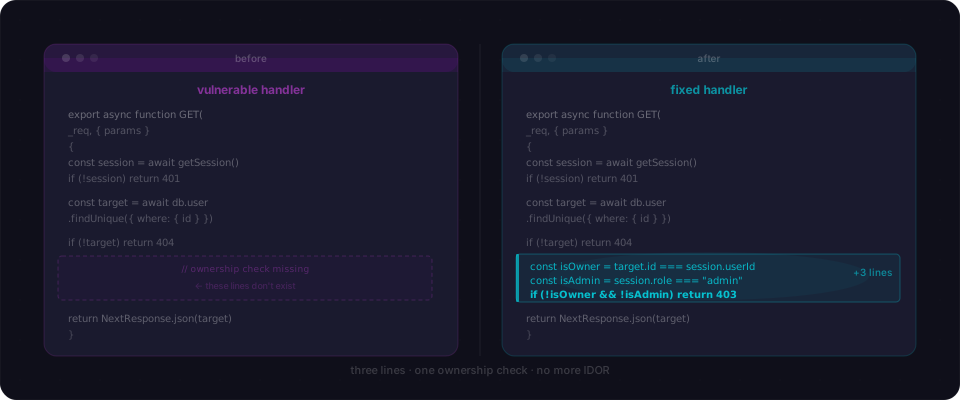
Three lines, inserted right after the lookup.
app.get('/api/users/:id', authenticate, (req, res) => {
  if (!req.user) return res.status(401).json({ error: 'Unauthorized' });
  const user = users.find(u => u.id === Number(req.params.id));
  if (!user) return res.status(404).json({ error: 'Not found' });

  // The check that was missing.
  if (user.id !== req.user.id && !req.user.isAdmin) {
    return res.status(403).json({ error: 'Forbidden' });
  }

  return res.json(user);
});
Restart the server and re-run the same curl http://localhost:3000/api/users/1. You'll get 403 Forbidden. Re-run curl http://localhost:3000/api/users/47 — still works. Same handler, same auth, one ownership check, done.
Audit your own app
Now run the same drill against the code you actually shipped.
- Grep your route handlers for
findById,findUnique, andwhere: { id }. For every match, read the next few lines. Does the handler compare ownership against the session user? If not, you have the bug. - Open your app in the browser, log in as a non-admin, and change a number in any
/api/*/:idURL. If another user's data comes back, stop reading and fix it before you close this tab. - Enumerate
/api/users/1..10in staging. Count how many return anything that isn't your own record. That count is the number of IDOR findings waiting for you.
Why AI code generators miss this
The quickstart shows the happy path: parse the id, query the database, return the row. Adding an ownership check requires reasoning about who is allowed to see what, which sits outside the pattern the quickstart demonstrates. AI code generators follow the pattern they see. No malice, no negligence — just defaults compounding into production.
Closing
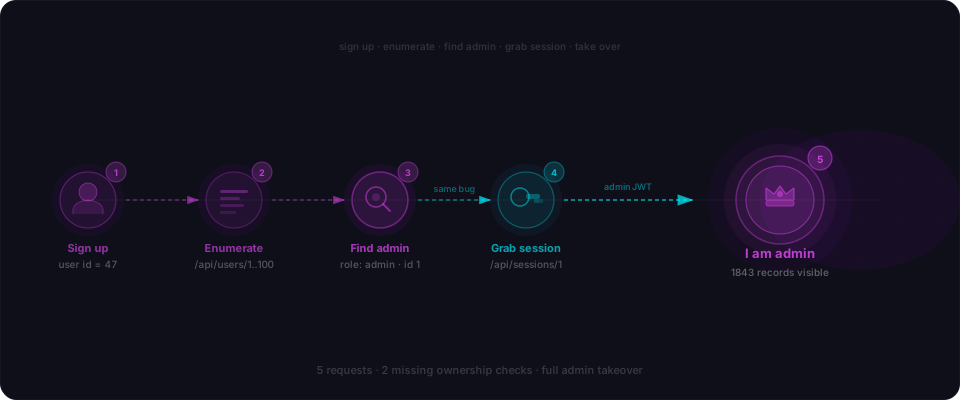
This drill catches one missing check on one endpoint. A black-box scanner walks every route, enumerates IDs across real sessions, and compounds the missing checks into full account takeover chains — the users endpoint leaks a target list, the sessions endpoint leaks the keys, and five requests later someone is reading your billing data. That's what we built Flowpatrol for. Paste your URL, see what comes back.
Want the conceptual version of the same bug? IDOR: the vulnerability AI can't see walks through why every major code generator produces this pattern by default. IDOR sits under OWASP A01: Broken Access Control on the web list and API1: BOLA on the API list.