The OTP your AI generated is already breakable.
You asked for email verification. "Add an OTP flow to the sign-up endpoint."
Thirty seconds later you have working code. Users sign up, get a code in their email, enter it, they're verified. It works. Looks solid. You ship it to production.
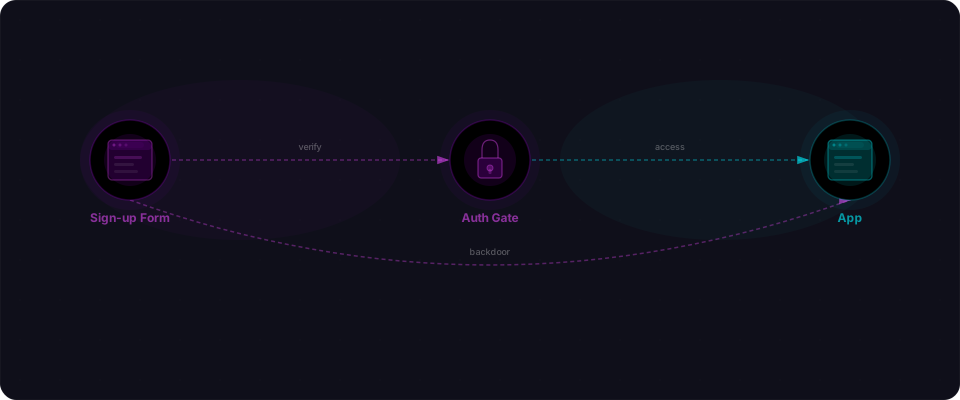
This is what happened next in real production apps: an attacker called the OTP endpoint and read the code straight from the response body. They registered an account on a platform that had public registration disabled. They bypassed every OTP generated that day by using the hardcoded test code 1234. They brute-forced a 4-digit code and had access to 10,000 user accounts in 90 seconds — because there was no rate limiting.
These aren't theoretical. Every pattern here showed up in live apps. Multiple apps. All because AI optimizes for the happy path — code that works when used correctly — not for what happens when it's attacked.
And the worst part? None of these take more than one line to fix.
Why AI generates these backdoors
When you ask an LLM to build email verification, it solves the stated problem: "verify that the user owns this email." It does not model adversaries. It does not think about brute force, code leakage, or test modes left in production. It generates convenient code for a developer testing locally, then ships it as-is to thousands of users.
Each of these seven patterns is a reasonable development shortcut that becomes a security hole at scale. The OTP in the response? Helpful for debugging. The hardcoded 1234 code? Makes testing faster. No rate limiting? Not needed when you're the only user. Codes that never expire? Nobody asked for expiration.
Here's the thing: these patterns work fine in tutorials. The LLMs train on millions of example code snippets, and most of them are tutorial code or "reference implementations" that prioritize clarity over production hardening. So when an AI generates an auth flow, it replicates the patterns it has seen 10,000 times in training data — not the patterns you need in production.
The root cause: AI writes for examples and tutorials, not for threat models. These are quick fixes once you know where to look.
Pattern 1: OTP returned in the API response
This is the most common one. The AI builds a verification endpoint that sends an OTP to the user's email — but also returns it in the JSON response.
// VULNERABLE — OTP leaked in response body
app.post("/api/auth/send-otp", async (req, res) => {
  const { email } = req.body;
  const otp = generateOTP();

  await saveOTP(email, otp);
  await sendEmail(email, `Your code is: ${otp}`);

  res.json({
    success: true,
    message: "OTP sent successfully",
    otp: otp,           // For debugging... left in production
    debug: { code: otp } // Or hidden in a debug object
  });
});
The AI includes the OTP in the response because it's helpful during development. You can see the code without checking your email. That's convenient. It's also a complete bypass of your entire verification system.
An attacker doesn't need access to the user's inbox. Here's the actual request:
curl -X POST https://your-app.com/api/auth/send-otp \
  -H "Content-Type: application/json" \
  -d '{"email": "attacker@evil.com"}'
The response includes the OTP. They submit it. Account verified. Your email verification is now decorative.
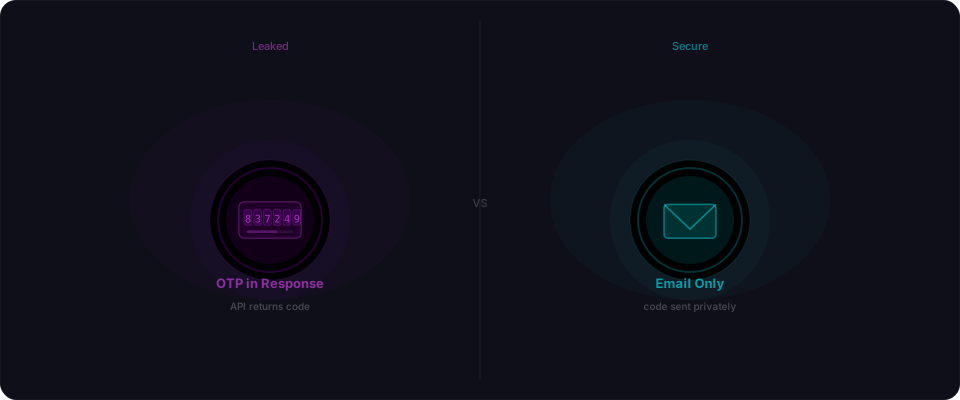
The fix: Never return the OTP in any form. Not in the response body, not in headers, not in a debug field. If you need to see codes during development, log them server-side or use a test email service like Mailhog.
// FIXED — no OTP in response
app.post("/api/auth/send-otp", async (req, res) => {
  const { email } = req.body;
  const otp = generateOTP();

  await saveOTP(email, otp);
  await sendEmail(email, `Your code is: ${otp}`);

  res.json({
    success: true,
    message: "Verification code sent"
    // Nothing else. No code. No debug field.
  });
});
Pattern 2: Predictable OTP generation
Tutorials often show timestamp-based or sequential ID generation for learning purposes — it's clear, easy to understand, and works fine in a classroom example. LLMs see these patterns everywhere and replicate them:
// VULNERABLE — timestamp-based OTP
function generateOTP() {
  const timestamp = Date.now();
  return String(timestamp % 10000).padStart(4, "0");
}
// ALSO VULNERABLE — sequential OTPs
let otpCounter = 1000;
function generateOTP() {
  otpCounter++;
  return String(otpCounter);
}
If the OTP is derived from the current timestamp, an attacker who knows roughly when the request was made can narrow the possibilities to a handful of codes. If it's sequential, they just need one valid code to predict every future one. And they'll definitely try: guessing codes is one of the first things an attacker does.
The fix — one line:
import crypto from "crypto";
// Replace the entire generateOTP() with:
const otp = crypto.randomInt(0, 1000000).toString().padStart(6, "0");
Use crypto.randomInt() in Node.js, secrets.randbelow() in Python, or SecureRandom in Ruby. Never Math.random(). Never timestamp math. Never sequential counters.
Pattern 3: Hardcoded backdoor codes
The AI generates a verification endpoint with a built-in test code:
// VULNERABLE — hardcoded bypass code
app.post("/api/auth/verify-otp", async (req, res) => {
  const { email, otp } = req.body;

  // "For testing"
  if (otp === "0000" || otp === "1234" || otp === "123456") {
    await verifyUser(email);
    return res.json({ success: true, token: generateToken(email) });
  }

  const stored = await getStoredOTP(email);
  if (otp === stored) {
    await verifyUser(email);
    return res.json({ success: true, token: generateToken(email) });
  }

  res.status(400).json({ success: false });
});
The AI adds this because it assumes you're testing locally and don't want to check email every time. That's helpful during development. It's catastrophic in production. 0000 and 1234 are the first codes any attacker tries:
curl -X POST https://your-app.com/api/auth/verify-otp \
  -H "Content-Type: application/json" \
  -d '{"email": "victim@target.com", "otp": "1234"}'
They work on every account forever. No need to brute force or intercept anything. The attacker just uses the test code.
The fix — delete these lines entirely:
// DELETE this entire block:
// if (otp === "0000" || otp === "1234" || otp === "123456") { ... }
If you absolutely need a development bypass, use an environment variable check and make sure it's false in production:
if (process.env.ENABLE_OTP_BYPASS === "true" && otp === "dev-only-code-xyz") {
  // only works if explicitly enabled AND uses a unique code
}
Better yet: use a test email service like Mailhog or MailPit and test with real codes. No bypass needed.
Pattern 4: No rate limiting on verification attempts
A 4-digit OTP has 10,000 possible values. A 6-digit OTP has 1,000,000. Without rate limiting, an attacker can try them all.
// VULNERABLE — no rate limiting, no attempt tracking
app.post("/api/auth/verify-otp", async (req, res) => {
  const { email, otp } = req.body;

  const stored = await getStoredOTP(email);
  if (otp === stored) {
    await verifyUser(email);
    return res.json({ success: true });
  }

  res.status(400).json({ success: false, message: "Invalid code" });
});
This endpoint will happily accept 10,000 requests in rapid succession. With a 4-digit code, an attacker using a simple script finishes in under a minute. Even a 6-digit code falls in a few hours at modest request rates.
AI almost never generates rate limiting for verification endpoints. It solves the stated problem — "verify the code" — and doesn't think about what happens when someone guesses.
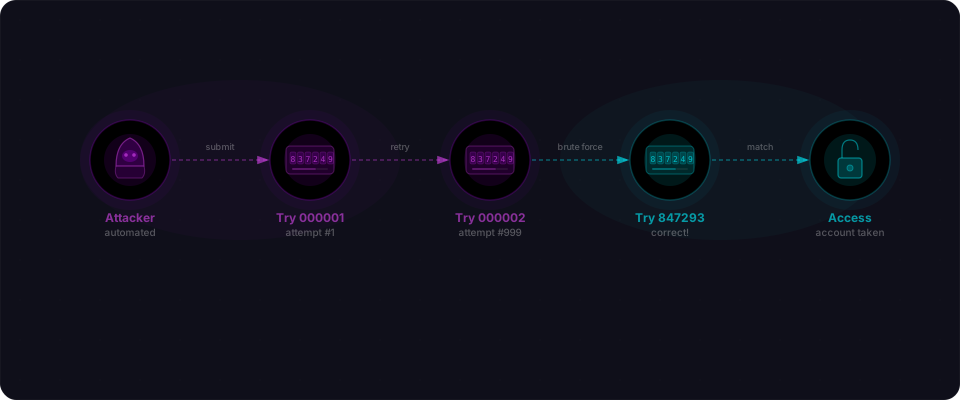
The fix: Limit attempts and lock out after failures.
// FIXED — rate limiting + attempt tracking
app.post("/api/auth/verify-otp", async (req, res) => {
  const { email, otp } = req.body;

  const attempts = await getAttemptCount(email);
  if (attempts >= 5) {
    await invalidateOTP(email);
    return res.status(429).json({
      success: false,
      message: "Too many attempts. Request a new code."
    });
  }

  await incrementAttemptCount(email);

  const stored = await getStoredOTP(email);
  if (otp === stored) {
    await verifyUser(email);
    await clearAttempts(email);
    return res.json({ success: true });
  }

  res.status(400).json({ success: false });
});
Five attempts, then the code is burned. The user needs to request a new one. This makes brute force impossible regardless of code length.
Pattern 5: OTPs that never expire
AI generates OTPs and stores them. It doesn't set an expiration.
// VULNERABLE — OTP stored without expiry
async function saveOTP(email, otp) {
  await db.query(
    "INSERT INTO otp_codes (email, code) VALUES ($1, $2)",
    [email, otp]
  );
}

// Later, verification just checks if the code matches
async function verifyOTP(email, otp) {
  const result = await db.query(
    "SELECT * FROM otp_codes WHERE email = $1 AND code = $2",
    [email, otp]
  );
  return result.rows.length > 0;
}
That code from three weeks ago? Still valid. An attacker who intercepts or leaks an old code can use it indefinitely. Even codes the user never entered sit in the database, waiting.
The fix: Add a timestamp and enforce expiration.
// FIXED — OTP expires after 10 minutes
async function saveOTP(email, otp) {
  await db.query(
    `INSERT INTO otp_codes (email, code, created_at)
     VALUES ($1, $2, NOW())`,
    [email, otp]
  );
}

async function verifyOTP(email, otp) {
  const result = await db.query(
    `SELECT * FROM otp_codes
     WHERE email = $1
     AND code = $2
     AND created_at > NOW() - INTERVAL '10 minutes'`,
    [email, otp]
  );
  return result.rows.length > 0;
}
Ten minutes is generous. Five is better. The shorter the window, the less time an attacker has to work with.
Pattern 6: OTP not invalidated after use
The user enters their code. It works. They're verified. But the code still sits in the database, valid and reusable.
// VULNERABLE — OTP still valid after successful verification
app.post("/api/auth/verify-otp", async (req, res) => {
  const { email, otp } = req.body;

  const valid = await verifyOTP(email, otp);
  if (valid) {
    await markEmailVerified(email);
    return res.json({ success: true });
    // OTP is never deleted or marked as used
  }

  res.status(400).json({ success: false });
});
This means the same code can be submitted again. And again. If an attacker intercepts the code — from a network log, a browser extension, or shoulder surfing — they can replay it at any time. Combined with no expiration (Pattern 5), this creates a permanent backdoor tied to every code ever generated.
The fix: Delete or invalidate the code immediately after successful verification.
// FIXED — OTP deleted after use
if (valid) {
  await markEmailVerified(email);
  await deleteOTP(email); // One-time use
  return res.json({ success: true });
}
One code, one use. That's it.
Pattern 7: Error messages that leak code details
Sometimes the AI generates error responses that are too helpful to the attacker:
// VULNERABLE — error response leaks information
app.post("/api/auth/verify-otp", async (req, res) => {
  const { email, otp } = req.body;

  const stored = await getStoredOTP(email);

  if (!stored) {
    return res.status(400).json({
      success: false,
      message: "No OTP found for this email. Request a new 6-digit code."
      //                                                  ^^^^^^ — code length leaked
    });
  }

  if (otp.length !== stored.length) {
    return res.status(400).json({
      success: false,
      message: `Expected ${stored.length}-digit code`  // exact length
    });
  }

  if (otp !== stored) {
    return res.status(400).json({
      success: false,
      message: "Incorrect code. You have 4 attempts remaining."
      //                          ^ — attempt counter leaked
    });
  }
});
Each error message tells the attacker something useful. Code exists for this email? Now they know to focus on that account. Code is 6 digits instead of 8? That cuts the search space by 100x. Attempt counter shows they have 4 left? They know exactly how many guesses to make.
The fix — one generic response:
res.status(400).json({
  success: false,
  message: "Invalid code. Please try again."
});
That's it. Same message for every error. No information about attempts, code length, or whether a code was sent. The attacker learns nothing except "that didn't work."
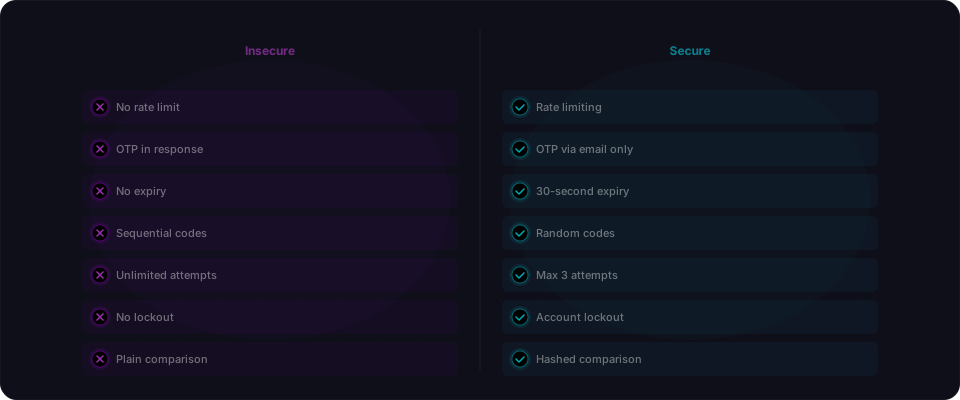
Five minutes to lock it down.
If your app has email verification, do these checks before you ship to production or show it to users:
-
Call the send-OTP endpoint yourself. Open your Network tab. Look at the response. If the OTP code appears anywhere in the JSON — not just the status, the full code — delete that line immediately. No code in the response, ever.
-
Grep for test codes. Search your entire codebase for hardcoded test values:
grep -r "\"0000\"\|\"1234\"\|\"123456\"\|\"000000\"\|\"dev\"" --include="*.js" --include="*.ts" src/Any match is a bug. Delete it or wrap it in
if (process.env.NODE_ENV !== 'production')and setNODE_ENV=productionwhen you deploy. -
Verify rate limiting works. Open your browser console. Submit 10 wrong codes to the verify endpoint as fast as you can. If the 10th one succeeds, you have no rate limiting. Add it:
const attempts = await redis.incr(`otp:${email}`); if (attempts > 5) return res.status(429).json({ error: "too many attempts" }); -
Check code expiration in your database. Look at your schema. OTP table should have a
created_attimestamp. Verification query must include:WHERE created_at > NOW() - INTERVAL '5 minutes'. Missing? Add it now. -
Verify codes are one-time use. Submit a valid code, get verified, then immediately try the same code again in a fresh incognito window. If it works, codes are reusable and you have a critical bug. After successful verification, delete the OTP row:
DELETE FROM otps WHERE email = $1 AND code = $2. -
Check error responses. Try these three requests and verify they all return the exact same JSON response:
- Non-existent email
- Wrong code
- Expired code
If responses differ, you're leaking information. Return
{ error: "Invalid code" }for everything. -
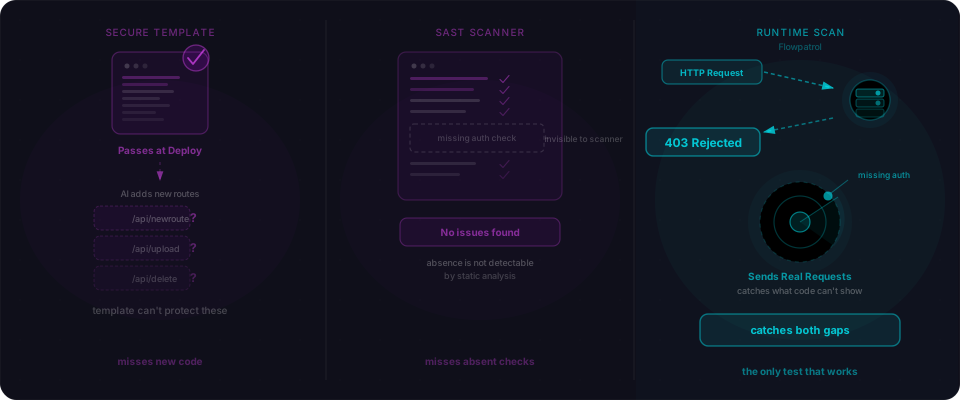
Scan before you launch. Flowpatrol's Surface scan runs in 90 seconds and detects all of these patterns — OTP leaks, hardcoded bypasses, missing rate limits, no expiry, replay vulnerabilities, and information leakage. Hit
Scanand see what we find.
Do all seven. Takes five minutes. Costs nothing. Saves everything.