OTP verification: the lock everyone forgets how to close
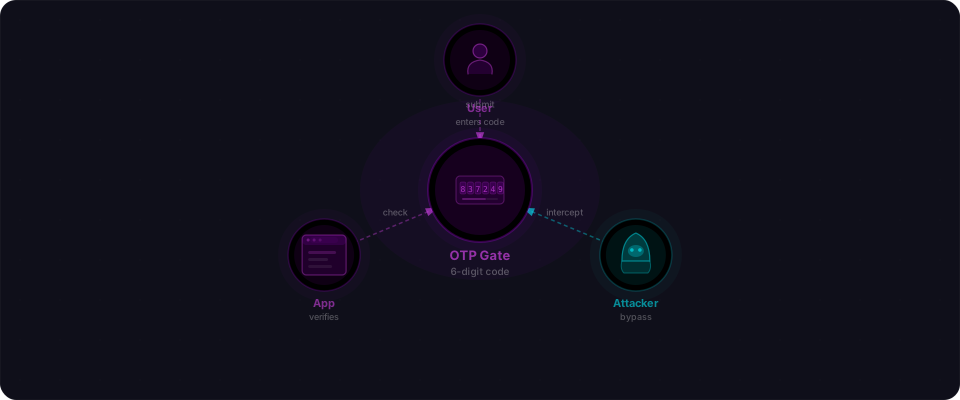
You added OTP to your sign-up flow. Six digits. A text message. A short countdown timer. It feels like a lock. The person entering the code must have access to their phone or email. Verification complete. Secure.
Except the same companies keep leaving the door unlocked in a different spot. MTN, Grab, Zomato, Shopify, HackerOne — all implemented OTP. All found ways to break it. Same mistakes. Same patterns. Different companies.
Here are the real cases, publicly reported and confirmed on HackerOne and bug bounty platforms. Study these patterns because your app probably has one of them.
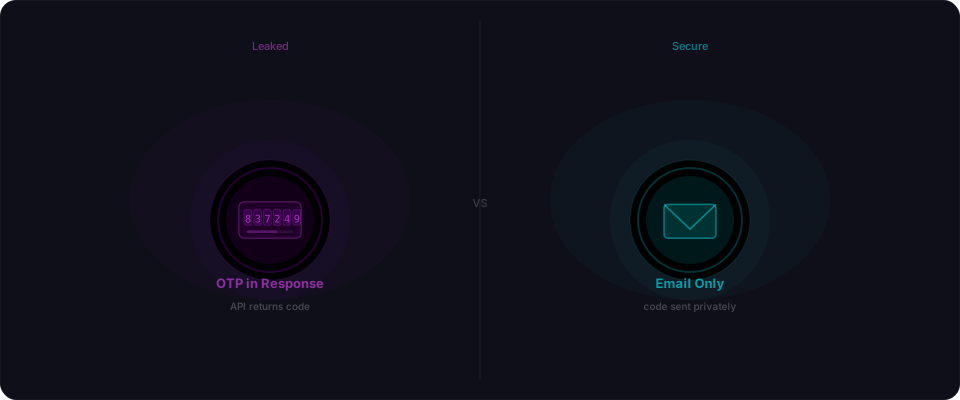
Pattern 1: The OTP is in the response
This one is the most common, and it keeps happening.
MTN Group — one of Africa's largest telecom providers — had an endpoint that sent an OTP to verify subscriber identity before allowing subscription changes. Standard flow. Except the API response that triggered the OTP also contained the OTP itself. An attacker didn't need the victim's phone. They just read the HTTP response.
This wasn't a one-off. HackerOne report #777957 documented the subscription bypass. Reports #2633888 and #2635315 found the identical pattern on different MTN domains months later. Same company, same mistake, three times.
The code was simple:
const otp = generateOTP();
await sendSMS(phoneNumber, `Your code is ${otp}`);

return res.json({
  status: "otp_sent",
  otp: otp,  // still there — never removed
  message: "Check your phone"
});
This wasn't a subtle oversight. The OTP was returned directly in the API response. Someone added it during development for testing. It never got removed. The SMS became decoration. The real code was always visible to anyone who made the request.
Pattern 2: No rate limiting on verification
The WordPress Digits plugin provides SMS-based OTP login for WordPress sites. Before version 8.4.6.1, it had zero rate limiting on OTP verification attempts.
A 4-digit OTP has 10,000 possible values. At 1,000 requests per second — trivial for a single machine — that's 10 seconds to crack. Six digits? About 15 minutes. This was assigned CVE-2025-4094 with a CVSS score of 9.8 (Critical). A public exploit appeared on Exploit-DB using parallel threads to speed up the brute force.
The OpenCTI threat intelligence platform had the same problem. Its otpLogin mutation accepted unlimited OTP attempts with no lockout. An attacker with stolen credentials could blow through 2FA in minutes. Their own GitHub security advisory confirmed the issue.
Then there's Courier on HackerOne (report #1067533). They had rate limiting — but it keyed on IP address via the X-Forwarded-For header. Set that header to 127.0.0.1, and the limit reset. One header, unlimited attempts.
# Bypass IP-based rate limiting
curl -X POST https://target.com/api/verify-otp \
  -H "X-Forwarded-For: 127.0.0.1" \
  -d '{"code": "483291"}'
Pattern 3: Client-side validation
Zomato, India's largest food delivery platform, had OTP verification on its restaurant registration flow at business.zomato.com. When you entered a wrong OTP, the server returned:
{"status": "failed", "message": "Invalid OTP. Please try again"}
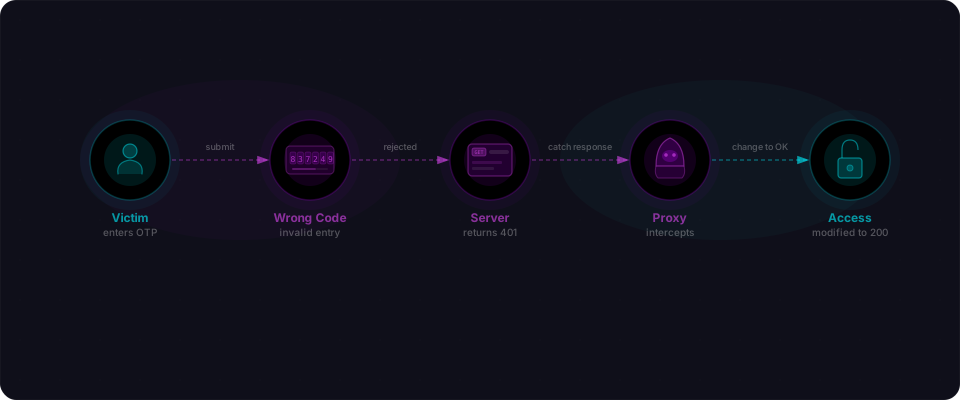
A researcher intercepted this with Burp Suite and changed it to:
{"status": "success", "message": "Verification successful"}
The app accepted it. Phone number verified. The OTP check existed only on the client side — the browser read "success" and moved forward. The server never enforced the decision. This was reported on HackerOne and rated high severity.
Zomato had a separate, older vulnerability too. Report #142221 showed that entering a wrong OTP while placing an order leaked the real code in the error message. Two different OTP bugs on the same platform, years apart, both rooted in the same mistake: the server wasn't the authority.
Pattern 4: Session issued before verification completes
Shopify had a subtle variant. When two-step verification was enabled, Shopify asked for a password first, then prompted for the OTP. A researcher found you could bypass the password step entirely and jump straight to OTP setup (report #124845). The authentication sequence wasn't enforced as a strict chain.
HackerOne themselves had a related issue (report #2529780). The platform issued a valid session token before MFA was completed. The only thing stopping the user from being fully authenticated was a client-side cookie — easily removed.
As HackerOne's own blog post put it: "A valid session token was sent to the user before the MFA code was validated. The user was only stopped from being authenticated by a client-side cookie."
If your app sets a session after password verification but before OTP verification, the OTP protects nothing. Sessions should only begin after every factor is verified.
Pattern 5: OTPs with long expiry windows
Grab, the Southeast Asian ride-hailing giant, used SMS OTP as the sole login factor for its Android app. A researcher bypassed it entirely on the login endpoint (report #205000). Since OTP was the only auth factor, the bypass meant full account takeover — ride history, payment methods, personal data.
Mars (the consumer goods company) had an OTP bypass in their password reset flow (report #3228888) that let attackers take over accounts without touching the victim's phone.
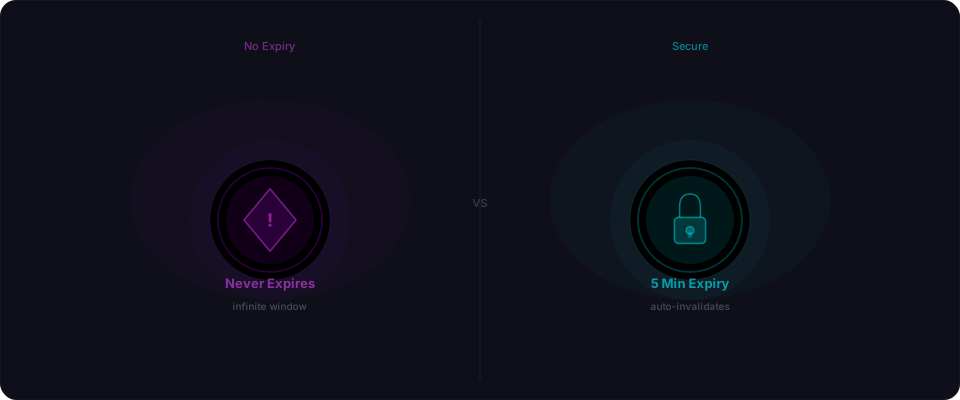
The common thread: expiry windows that are too long, and codes that don't invalidate after failed attempts.
Here's the math. A 6-digit OTP has 1 million possible values. If the code is valid for 30 minutes and doesn't invalidate after failed attempts, an attacker has 1,800 seconds to brute force it. At 100 attempts per second — trivial for an automated script — that's 18 seconds to find the code. The victim never gets a notification. The compromise happens in silence.
Every case, one table
| Anti-pattern | What goes wrong | Who got hit |
|---|---|---|
| OTP in the response body | Code visible without accessing phone/email | MTN Group (three separate reports) |
| No rate limiting | Brute-force every code in seconds | Digits plugin (CVE-2025-4094), OpenCTI, Courier |
| Client-side validation | Attacker changes "failed" to "success" | Zomato (twice) |
| Session before verification | Auth token issued before OTP checked | Shopify, HackerOne |
| Weak expiry and binding | Codes reusable, long-lived, or unbound | Grab, Mars |
None of these required zero-days or advanced tooling. A proxy tool, a curl command, and a few minutes.
What you should check right now
If your app uses OTP for anything — sign-up, login, password reset, sensitive actions — run through this list:
-
Check your verification response. Send a wrong OTP. Read the full HTTP response. If the real code appears anywhere — body, headers, error message — fix it immediately.
-
Test your rate limits. Send 20 wrong codes in a row. Does the endpoint lock you out? Slow you down? Invalidate the code? If you can send 100 attempts without consequence, an attacker can send 10,000.
-
Verify server-side enforcement. Intercept a failed OTP response and change it to "success." If your app proceeds as if the code was valid, your check is client-side only.
-
Confirm your session timing. Log in with a valid password, then check: do you have a session token before entering the OTP? If yes, the OTP is decoration.
-
Scan it. Flowpatrol checks for these patterns automatically — missing rate limits, response leaks, client-side-only validation, weak expiry. Paste your URL and see what comes back.
Sources: All disclosures referenced in this article are publicly documented on HackerOne, WPScan, Exploit-DB, and GitHub Security Advisories.