TL;DR
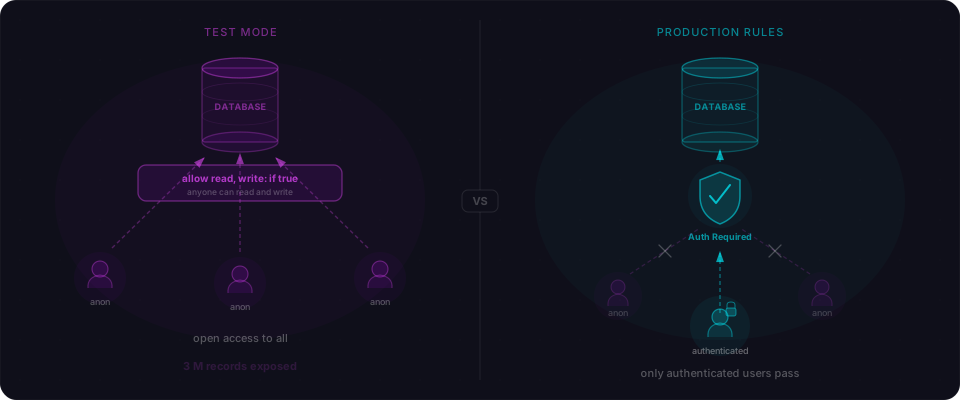
The Supabase anon key is meant to be public. That's true, and it keeps getting people's entire users tables dumped from the browser console. Here's the 2-minute drill to see exactly why — and how to fix it — on a throwaway project you spin up yourself.
Spin up a free Supabase project (30 seconds)
Go to supabase.com, click New project, pick any name and password, choose the free tier. Wait for the green dot. That's it — you now have a real Postgres database, a real PostgREST API, and a real anon key, all on a URL you control.
You'll need two things from Settings → API in a minute: your Project URL and your anon public key. Keep that tab open.
Mirror the quickstart (30 seconds)
Open the SQL Editor and paste this in. It's the shape of table every "build a SaaS with Supabase" tutorial produces on day one.
CREATE TABLE users (
  id bigserial PRIMARY KEY,
  email text,
  role text DEFAULT 'member',
  password_hash text
);

INSERT INTO users (email, role, password_hash) VALUES
  ('alice@example.com', 'admin',  '$2b$10$fakehashfakehashfakehashfakehashfakeha'),
  ('bob@example.com',   'member', '$2b$10$fakehashfakehashfakehashfakehashfakehb'),
  ('carol@example.com', 'member', '$2b$10$fakehashfakehashfakehashfakehashfakehc');
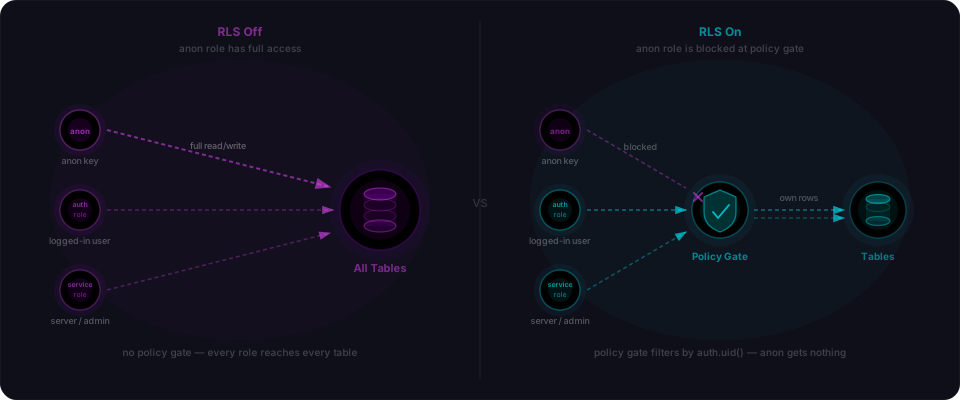
Hit Run. Three rows inserted. Notice what you did not do: you did not enable Row Level Security. Neither does the quickstart, and neither does any AI code generator I've watched scaffold a Supabase app. That's the setup. The rest of the drill is about what that single omission costs you.
Run the exfil (30 seconds)
Open any browser tab — literally any one, a blank about:blank works — pop the DevTools console and paste this. Swap in your Project URL and anon key from the Settings → API tab you left open.
await fetch('https://<your-ref>.supabase.co/rest/v1/users?select=*', {
  headers: {
    apikey: '<your-anon-key>',
    Authorization: 'Bearer <your-anon-key>'
  }
}).then(r => r.json())
Here's what comes back:
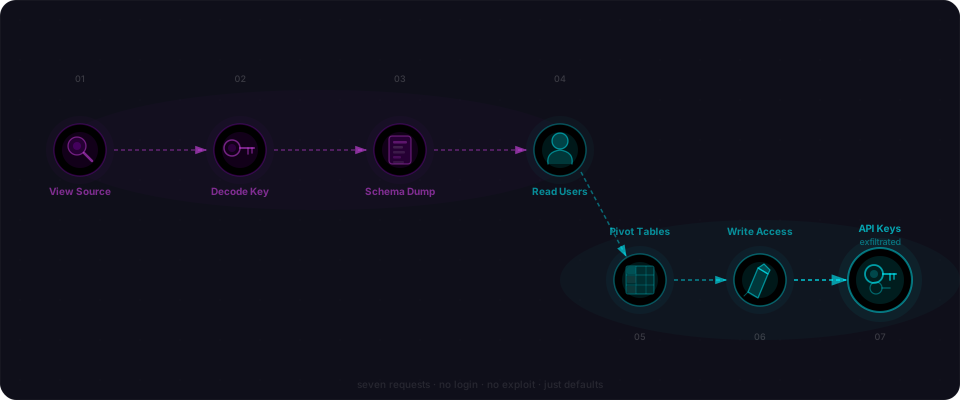
Every row. Every email. Every password hash. One line of JavaScript, zero authentication, zero cleverness — using a key Supabase's own docs told you to embed in your frontend.
What just happened
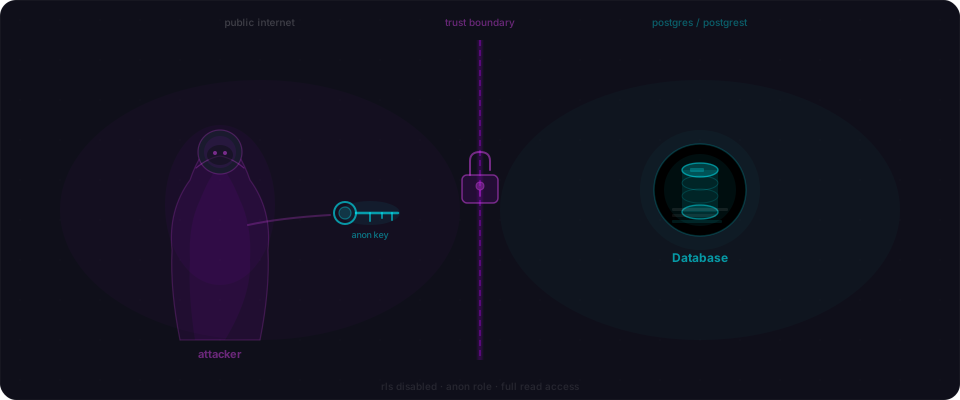
The anon key is not a secret — Supabase says so and they're right. But it's still a key, and keys identify you as a role.
- The anon key is a JWT with
role: anonin its claims. - When PostgREST receives a request with it, it runs your query as the
anonPostgres role. anonis a real Postgres role with real GRANTs. By default, the public schema grants itSELECTon every table you create there.- Row Level Security is a separate feature you have to explicitly turn on. It's off by default on every new table.
- No RLS + default GRANTs = the anon key can read everything.
Fix it (30 seconds)
Back to the SQL Editor. Paste this:
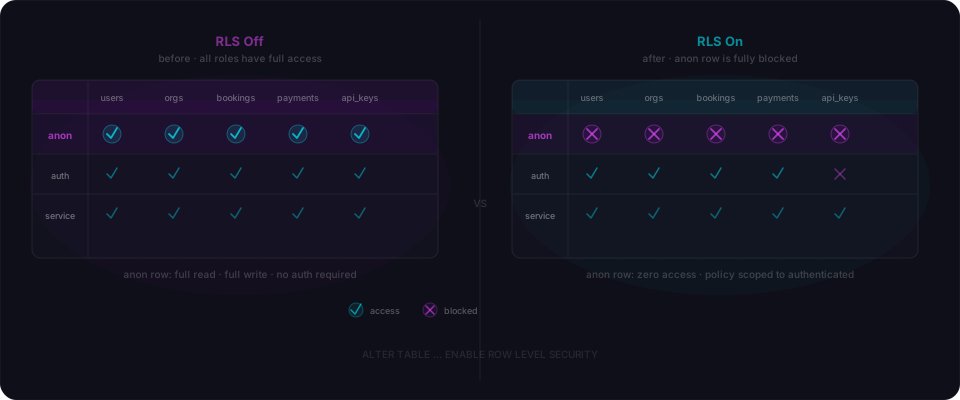
ALTER TABLE users ENABLE ROW LEVEL SECURITY;

CREATE POLICY "Users can read their own record"
  ON users FOR SELECT
  USING (auth.uid() = id::text::uuid);
Now re-run the exact same fetch() from the browser console. You should see:
Same key. Same endpoint. Same query. Empty array. That's RLS rewriting the query at the database layer — the client cannot opt out, no matter what it sends in the headers. Drill complete.
Audit your own app
Now the point of the exercise. Open the SQL Editor of your actual production Supabase project and run:
SELECT relname FROM pg_class
WHERE relkind = 'r'
  AND relnamespace = 'public'::regnamespace
  AND relrowsecurity = false;
Every table name that comes back is readable with your anon key. Not maybe. Not sometimes. Readable right now by anyone who has ever loaded your site.
Why AI code generators miss this
The Supabase quickstart is the happy path. The happy path does not enable RLS. AI code generators follow the happy path. That's the whole story — no malice, no negligence, just defaults compounding.
Closing
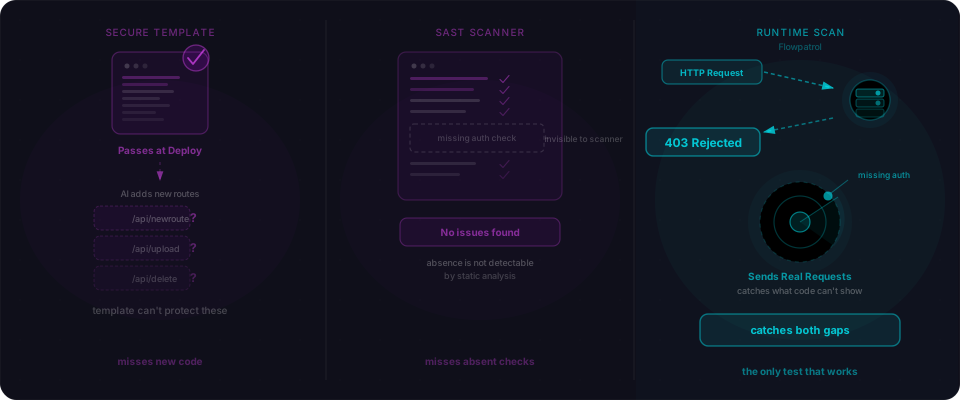
This drill finds one bug on one table. A black-box scanner finds the compounding chain — INSERT grants on the anon role, service-role keys leaked into the bundle, cross-table joins that bypass per-table policies, the dozen other things that stack up in AI-generated Supabase apps. That's what we built Flowpatrol for.