Try this right now
Open an incognito window. Type your app's URL followed by /admin. No cookies. No session. No login.
Hit enter. Look at the response code.
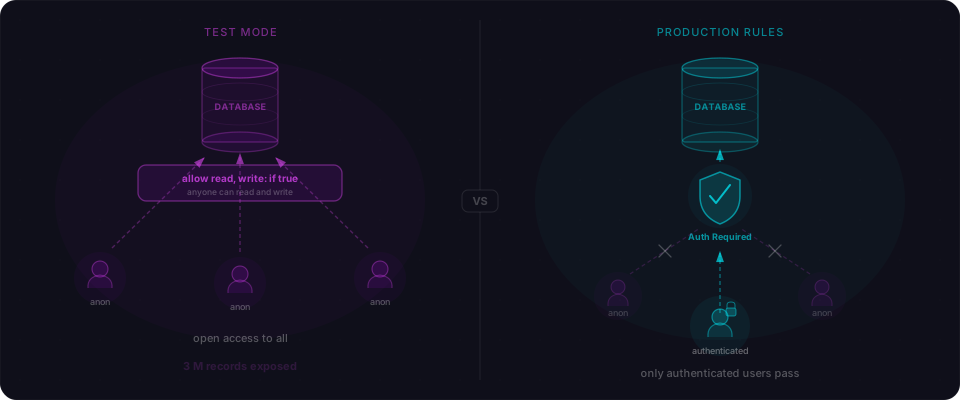
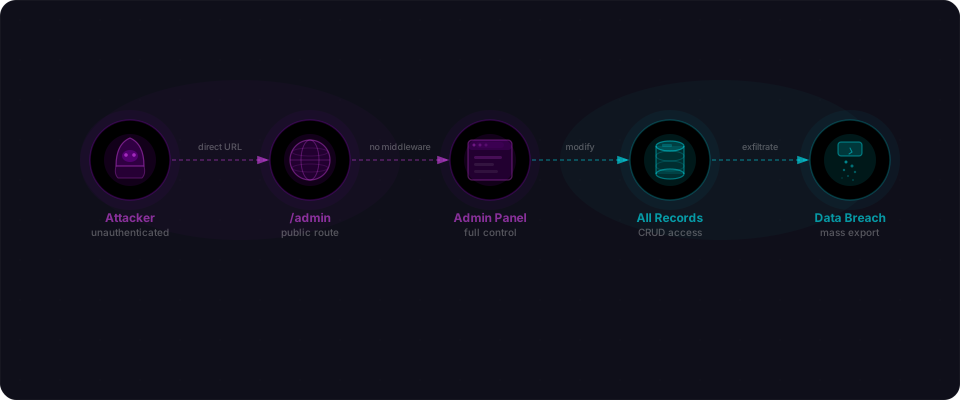
If you see 200 — a fully rendered dashboard with users, settings, data exports, anything — that page is live for everyone. Not just you. We scanned 47 Lovable and Bolt apps in the wild last week. 18 of them had reachable admin endpoints. Some returned complete user tables as JSON. One returned a database query editor.
Here's the thing: your admin panel probably works perfectly. The data loads. The buttons respond. The layout looks polished. The AI built exactly what you asked for. It just didn't add a lock.
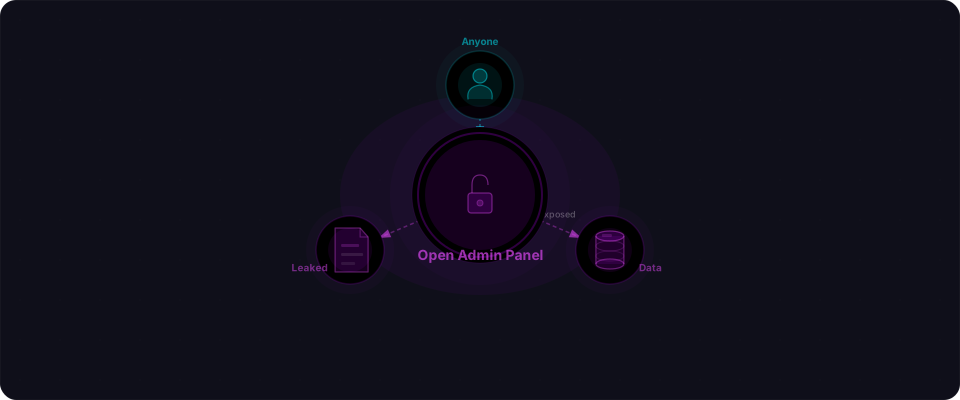
This is one of the most common patterns in apps built with Lovable, Bolt, Cursor, and v0. The admin panel exists. It functions. And it's open to the internet.
The code that ships
When you prompt "add an admin dashboard," here's what AI typically generates:
// app/admin/page.tsx
import { getUsers } from "@/lib/db";

export default async function AdminPage() {
  const users = await getUsers();

  return (
    <div>
      <h1>Admin Dashboard</h1>
      <p>Total users: {users.length}</p>
      <table>
        {users.map((user) => (
          <tr key={user.id}>
            <td>{user.email}</td>
            <td>{user.role}</td>
            <td>{user.created_at}</td>
          </tr>
        ))}
      </table>
    </div>
  );
}
Read it carefully. There's no getSession() call. No role check. No redirect. The page fetches every user from the database and renders them. Open the browser's network tab after you deploy. Hit /admin from incognito. The response is 200. All 47 users with emails, hashed passwords, roles. Because nothing at the component level says "only admins can see this."
The AI also generates API routes to power the dashboard:
// app/api/admin/users/route.ts
import { NextResponse } from "next/server";
import { getUsers } from "@/lib/db";

export async function GET() {
  const users = await getUsers();
  return NextResponse.json(users);
}
Same story. Hit /api/admin/users with a curl command and you get every user in the database as JSON. Emails, roles, creation dates. No auth required.
30 seconds: the self-test
Before reading the fix, test your own app:
# Test from terminal (no session)
curl https://yourapp.com/admin
# If you get HTML (200), it's open.

curl https://yourapp.com/api/admin/users
# If you get JSON (200), it's open.

# Check for debug headers in your code
grep -r "x-debug\|x-admin\|letmein\|admin123" --include="*.ts" --include="*.tsx" app/
# Any match? It's a backdoor.
Done. If any of those three things are true, keep reading.
The backdoor that looks like a lock
The completely open route is problem one. But there's a sneakier pattern: the route that looks protected but isn't.
AI models know admin routes should have auth, so they sometimes add a check. The check just doesn't work:
// app/api/admin/users/route.ts
import { NextRequest, NextResponse } from "next/server";
import { getUsers } from "@/lib/db";

export async function GET(req: NextRequest) {
  const isDebug = req.headers.get("x-debug") === "true";
  const adminKey = req.headers.get("x-admin-key");

  if (isDebug || adminKey === "letmein") {
    const users = await getUsers();
    return NextResponse.json(users);
  }

  return NextResponse.json({ error: "Unauthorized" }, { status: 401 });
}
This returns 401 for a normal request. You test it locally, see the error, and assume it works. But:
# Normal request → 401 ✓
curl https://yourapp.com/api/admin/users
# {"error": "Unauthorized"}

# One header → 200, full database ✗
curl -H "x-debug: true" https://yourapp.com/api/admin/users
# [{"id": 1, "email": "alice@example.com", "role": "admin"}, ...]
These debug bypasses — x-debug, x-admin-key, x-internal, hardcoded tokens — are development scaffolding. They ship to production because they feel protected in casual testing. The security is performance theater.
Why AI builds it this way
This isn't a bug in a specific tool. It's a structural pattern in how all AI code generation works.
AI builds features, not systems. "Build an admin panel" is a feature request. The AI delivers the UI, the data fetching, the layout. Authentication is a separate system. Authorization is another. The AI treats each prompt as self-contained. It doesn't ask: "How does this page fit into the security model of the whole app?"
Auth makes the page harder to test. If the AI adds an auth gate, the page won't render during development unless there's an active admin session. The AI doesn't have a session. It can't verify its own output through a login wall. So it skips the wall to make the page work.
The absence of security is invisible. Your admin panel functions identically with and without access controls. Data loads. Buttons click. Everything renders. You only notice the missing lock when someone who shouldn't be there walks through the door.
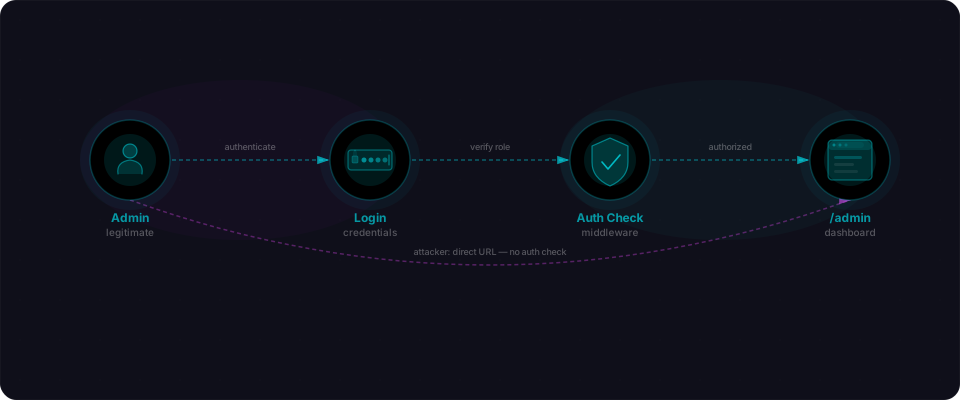
Frameworks default to open. Next.js doesn't protect routes by default. Express doesn't require auth on endpoints. The framework assumes you'll add security. The AI assumes the framework handles it. The result: nobody handles it.
What's behind that door
An exposed admin panel isn't a minor data leak. It's usually the highest-value target in the entire application. Here's what we see behind unprotected admin routes:
User tables. Full lists of emails, roles, account creation dates. Sometimes password hashes. Sometimes plaintext passwords. The ability to create, delete, or modify accounts — including promoting yourself to admin.
Data exports. CSV or JSON download of your entire database. Customer records, transaction history, uploaded files. One endpoint, one click, everything.
Application config. Feature flags, third-party API keys, payment gateway credentials, environment variables rendered right on the settings page. An attacker doesn't need to find your .env file — your admin panel shows it.
Database explorers. Some AI-generated admin panels include a query runner — a text input where you type SQL and execute it against production. This escalates from data leak to full system takeover. DROP TABLE users; is a valid query.
Logs. Application logs that reveal internal endpoints, stack traces, user activity patterns, and error messages containing sensitive data. A map of everything else worth attacking.
The admin panel is often the single page where everything in your app comes together. If it's unprotected, everything is unprotected.
Full audit: five more minutes
You've done the 30-second test. Now go deeper.
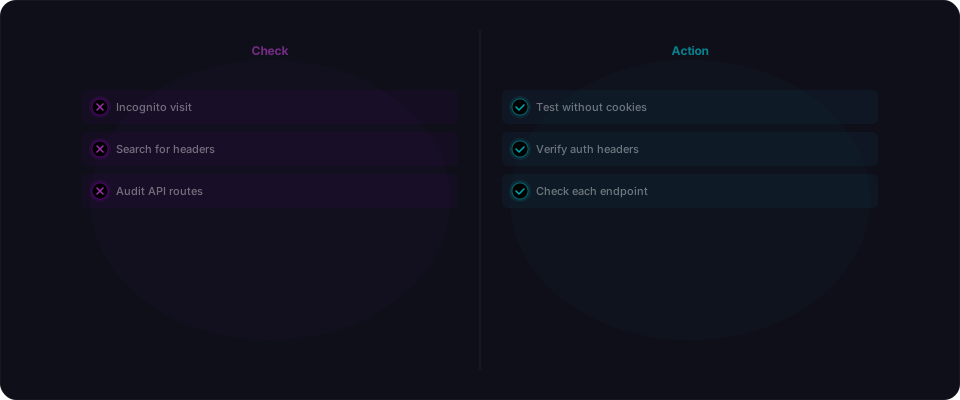
1. Check every common admin path
Open incognito and try these:
/admin→ should redirect to/login, not show a page/api/admin/users→ should return 401, not JSON/dashboard/settings→ should not render without auth/api/admin/settings→ should not return config
If any return 200 or your app data, it's exposed.
2. Hunt for debug headers in your code
grep -r "x-debug\|x-admin\|x-internal\|x-bypass\|letmein\|admin123\|secret" \
  --include="*.ts" --include="*.tsx" --include="*.js" --include="*.jsx" .
Every match needs deletion. If a hardcoded string grants access, it's a backdoor.
3. Read every API route once
Open app/api/. For each file: ask "what happens if someone calls this without authentication?"
If the answer is "they get data," that route is broken. If they get a 401, you're probably safe.
4. Test with your API client
Use Postman, curl, or your CLI without any auth headers. Walk your major routes:
curl https://yourapp.com/api/admin/users
curl https://yourapp.com/api/users
curl https://yourapp.com/api/settings
Each one should return 401 or a redirect. Never data.
The fix: one middleware, every admin route protected
The principle is simple: protect admin routes at the middleware level, not inside each page. Individual pages and API routes forget to check. Middleware can't be skipped.
Middleware runs before your code. It's the hardest gate to mess up.
Next.js middleware
This runs before every matching request. No session? Redirected to login. Not an admin? Sent home. The admin page never renders.
// middleware.ts
import { NextResponse } from "next/server";
import type { NextRequest } from "next/server";
import { getSession } from "@/lib/auth";

export async function middleware(request: NextRequest) {
  const { pathname } = request.nextUrl;

  if (pathname.startsWith("/admin") || pathname.startsWith("/api/admin")) {
    const session = await getSession(request);

    if (!session) {
      return NextResponse.redirect(new URL("/login", request.url));
    }

    if (session.user.role !== "admin") {
      return NextResponse.redirect(new URL("/", request.url));
    }
  }

  return NextResponse.next();
}

export const config = {
  matcher: ["/admin/:path*", "/api/admin/:path*"],
};
The matcher config means this code only runs on admin paths. The two checks are explicit: first authentication (is anyone logged in?), then authorization (are they an admin?). Both must pass.
Route group layouts
In Next.js, you can also enforce auth at the layout level using route groups. Every page inside the group inherits the check:
// app/(admin)/layout.tsx
import { redirect } from "next/navigation";
import { getSession } from "@/lib/auth";

export default async function AdminLayout({
  children,
}: {
  children: React.ReactNode;
}) {
  const session = await getSession();

  if (!session) {
    redirect("/login");
  }

  if (session.user.role !== "admin") {
    redirect("/");
  }

  return <div>{children}</div>;
}
This is defense in depth. Use middleware for the hard gate. Use the layout as a second layer. You can't accidentally add an unprotected admin page inside this group.
Express / Node.js
Same concept, different syntax. One middleware function protects every route on the router:
// middleware/requireAdmin.ts
import { Request, Response, NextFunction } from "express";

export function requireAdmin(req: Request, res: Response, next: NextFunction) {
  if (!req.session?.user) {
    return res.status(401).json({ error: "Not authenticated" });
  }

  if (req.session.user.role !== "admin") {
    return res.status(403).json({ error: "Not authorized" });
  }

  next();
}

// routes/admin.ts
import { Router } from "express";
import { requireAdmin } from "../middleware/requireAdmin";

const router = Router();
router.use(requireAdmin);

router.get("/users", async (req, res) => {
  const users = await getUsers();
  res.json(users);
});
Every route on this router is protected by requireAdmin. New endpoints inherit the guard automatically.
The rule
If you have to remember to add an auth check to each new admin page, you will forget on the one that matters most. Put the check in one place — middleware, a layout wrapper, a router guard — and make every admin route inherit it.
What you should do right now
You built something real. The admin panel is the last door to lock before it goes live.
-
Run the 30-second test. Incognito window, curl, grep. Takes two minutes. If anything returns 200 or data, you have a problem.
-
Delete every debug header.
x-debug,x-admin-key,letmein,admin123, hardcoded tokens. Search your codebase. Delete them. -
Add one middleware guard. Copy the Next.js middleware example above. Change the paths to match your app. Test it in incognito. Done.
-
Verify with curl. Hit
/adminfrom the command line with no auth header. Should get a redirect or 401. If you get your dashboard, the middleware isn't working. -
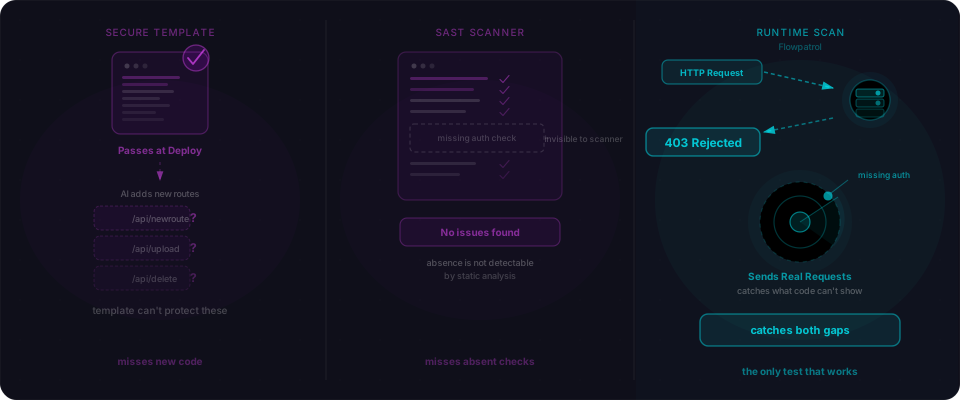
Scan with Flowpatrol. Flowpatrol automatically detects unprotected admin routes, exposed endpoints, and debug bypasses. Paste your URL. Get a report before you deploy. Know exactly where you stand.