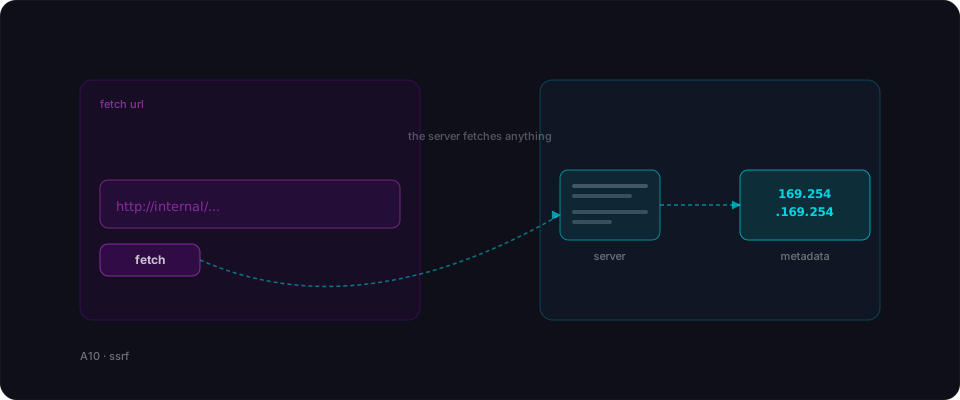
Your app has one innocent-looking feature. Paste a link, we fetch it, we show a preview. Your users love it. So do attackers, because the difference between 'fetch any URL' and 'fetch the cloud metadata endpoint and give me the keys' is zero characters of configuration.
Server-side request forgery is the bug where an attacker convinces your server to fetch a URL it should not fetch. From the attacker's side of the network, internal addresses like localhost, 10.0.0.0/8, and the cloud metadata service are unreachable. From your server's side they are one fetch call away. SSRF is the bridge between those two worlds.
What your AI actually built
You asked for a link-preview feature, or an avatar-from-URL uploader, or a webhook tester. The model wrote a handler that takes a URL from the request and calls fetch on it, then returns what it got back. Clean, short, works first try.
What it didn't write was the allowlist. The handler happily fetches http://169.254.169.254/latest/meta-data/ — the AWS instance metadata endpoint — which returns your IAM credentials to any caller inside the VM. Your server is inside the VM. The attacker is not, but your server is their proxy now.
The same shape applies to internal services. http://localhost:8080, http://10.0.0.7, http://redis:6379 — all of those are reachable from inside the cluster and none of them are reachable from the public internet. Until the attacker sends a URL and your server follows it.
How it gets exploited
Your app hosts a 'URL to PDF' feature. The attacker signs up and pastes a link.
- 1Probe the networkThey paste http://localhost:8080 and your server dutifully tries to fetch it, then returns the response body inside the PDF.
- 2Find the metadata serviceThey paste http://169.254.169.254/latest/meta-data/iam/security-credentials/ and receive the IAM role name attached to your VM.
- 3Steal the credentialsOne more request to the role-name path returns a working set of temporary AWS access keys. Fully scoped, fully valid.
- 4Cloud takeoverWith the keys they list S3 buckets, read the production database backup, and take a quiet copy. No password was ever guessed and no code was ever exploited.
Through a single 'paste a URL' feature the attacker walked away with full read access to your cloud account.
Vulnerable vs Fixed
// app/api/preview/route.ts
export async function POST(req) {
  const { url } = await req.json();

  const res = await fetch(url);
  const body = await res.text();

  return Response.json({ body });
}// app/api/preview/route.ts
import { lookup } from 'node:dns/promises';
import { isIP } from 'node:net';
const ALLOWED_PROTOCOLS = new Set(['http:', 'https:']);
export async function POST(req) {
const { url } = await req.json();
const parsed = new URL(url);
if (!ALLOWED_PROTOCOLS.has(parsed.protocol)) {
return Response.json({ error: 'Bad scheme' }, { status: 400 });
}
const { address } = await lookup(parsed.hostname);
if (isPrivateIp(address) || !isIP(address)) {
return Response.json({ error: 'Blocked' }, { status: 400 });
}
const res = await fetch(parsed.toString(), { redirect: 'error' });
const body = await res.text();
return Response.json({ body });
}Resolve the hostname yourself, reject private and link-local addresses, and turn off redirect following so an allowed URL cannot bounce to a blocked one. The happy path for real users is unchanged.
A real case
Capital One lost 100 million records to an SSRF on a WAF
In 2019 an attacker used SSRF against a misconfigured Capital One WAF to reach the AWS instance metadata endpoint, stole the IAM role credentials, and exfiltrated 100 million customer records from S3.
Related reading
References
Find out whether your server fetches URLs it should not.
Flowpatrol tests every URL-accepting input for SSRF, including cloud metadata endpoints. Five minutes. One URL.
Try it free