The thesis, in one sentence
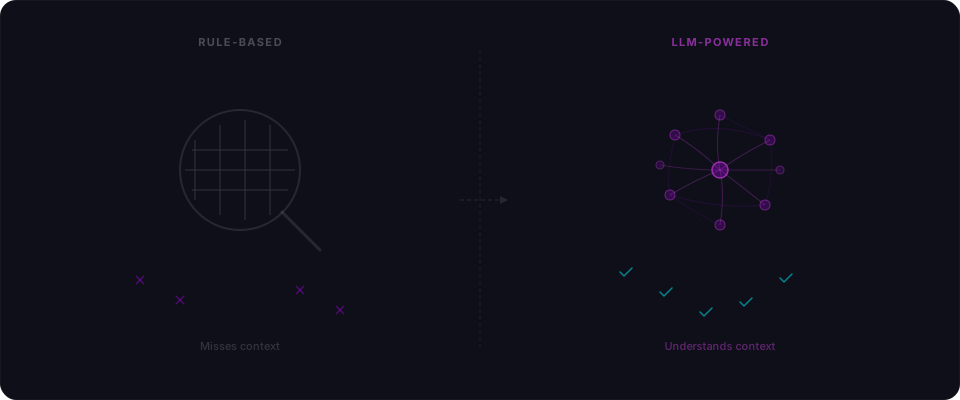
You cannot regex the absence of code. An endpoint that forgot its ownership check looks identical to one that has it — until someone asks "wait, should this user be allowed to see this?" That question is the entire game. And until very recently, no scanner could ask it.
Security scanners have existed for 25 years. They're mature, battle-tested, and — for a specific class of bugs — really good. So when we started building Flowpatrol, the obvious question was: why build another one? And specifically, why build one around LLMs, which are slow, non-deterministic, and more expensive than a regex by four orders of magnitude?
Here's the honest version of the answer. Traditional scanners are excellent at finding bugs where the vulnerability is the input/output shape: SQL injection, XSS, path traversal, known CVEs. They're basically useless at finding bugs where the vulnerability is a missing check, a wrong default, or a piece of business logic nobody thought to write a rule for. And in apps generated by Lovable, Bolt, and Cursor, the second category is where almost all the real bugs live.
This post walks through a concrete comparison — the same invoice endpoint, one rule-based scanner, one LLM-powered scanner — so you can see the difference instead of taking my word for it. Then I'll show where LLMs are genuinely worse, because anyone telling you they aren't is selling you something.
Two scanners, one invoice endpoint
To make this concrete, picture a Next.js invoice SaaS with a Supabase backend — the kind of app Lovable will spin up in twenty minutes. One scanner is OWASP ZAP, the most widely deployed open-source scanner on the planet. The other is an LLM-powered scanner that reads the API responses and reasons about them.
Same app. Same endpoints. Here's a representative ZAP report:
ZAP Scan Results — invoice-app.lovable.app
============================================
HIGH
  - SQL Injection (reflected) — /api/search?q=
  - Cross-Site Scripting (reflected) — /api/search?q=

MEDIUM
  - Missing Content-Security-Policy header
  - Missing X-Frame-Options header
  - Missing Strict-Transport-Security header
  - Server leaks version info via X-Powered-By header
  - Cookie without SameSite attribute (3 instances)

LOW
  - X-Content-Type-Options header missing
  - Information disclosure — debug error messages
  - Timestamp disclosure — Unix timestamps in response

INFORMATIONAL
  - Modern web application detected
  - Non-storable content
Solid findings. The SQL injection is real. The XSS is real. The missing headers are real. ZAP did its job — nothing to complain about.
Now here's what an LLM-powered scanner finds on top of those same issues:
LLM Scan Results — invoice-app.lovable.app
===================================================
CRITICAL
  - Broken access control — GET /api/invoices/[id]
    Any authenticated user can read any invoice by
    changing the ID parameter. No ownership check.

  - [Supabase RLS](/blog/supabase-rls-the-security-feature-your-ai-forgot) disabled on `invoices` table
    Service role key used in client bundle. All rows
    readable via direct Supabase query.

HIGH
  - Privilege escalation — PUT /api/users/[id]
    Users can modify other users' profiles, including
    the `role` field. Sending {"role": "admin"} works.

  - Business logic flaw — POST /api/invoices
    Negative line item amounts accepted. An invoice
    for -$500 triggers a refund to the creator.

  - Insecure direct object reference — DELETE /api/invoices/[id]
    Any authenticated user can delete any invoice.
    Sequential IDs make enumeration trivial.

MEDIUM
  - NEXT_PUBLIC_SUPABASE_SERVICE_ROLE_KEY in JS bundle
    Service role key exposed in client-side code.
    Bypasses all RLS even if RLS were enabled.

  [... plus the same header/cookie findings ZAP reported]
ZAP caught the injection and the XSS. Those are pattern-matching wins — send a payload, check the response, flag the match. That's what rule-based scanners are built for, and they're good at it.
But ZAP didn't touch the access control issues. It didn't notice that changing an invoice ID returns someone else's data — a textbook IDOR vulnerability. It didn't try sending a negative dollar amount. It didn't check whether the role field was writable. It couldn't — because those aren't patterns. They're logic.
Why pattern matching has a ceiling
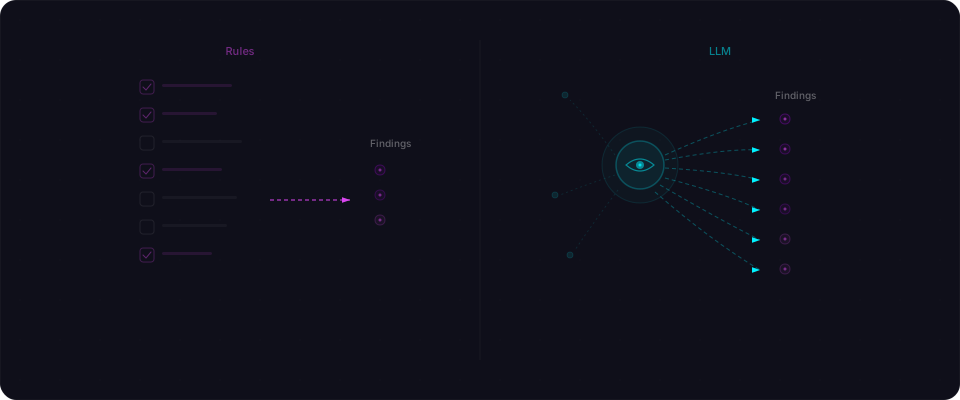
Traditional scanners work by doing the same thing over and over: send a known-bad input, check if the response looks like a known-bad output. SQL injection? Send ' OR 1=1 -- and see if the database errors or returns extra rows. XSS? Send <script>alert(1)</script> and see if it shows up in the response.
This works well for a specific category of bugs — the kind where the vulnerability is the input/output pattern. Send bad thing, get bad result, flag it.
Here's a simplified version of what a rule-based check looks like under the hood:
# Traditional scanner: SQL injection check
def check_sqli(url, param):
    payloads = [
        "' OR '1'='1",
        "1; DROP TABLE users--",
        "' UNION SELECT null,null,null--",
        "1' AND SLEEP(5)--",
    ]
    for payload in payloads:
        response = requests.get(url, params={param: payload})
        if "sql" in response.text.lower():
            return Finding(severity="HIGH", type="SQL Injection")
        if "syntax error" in response.text.lower():
            return Finding(severity="HIGH", type="SQL Injection")
        if response.elapsed.seconds >= 5:
            return Finding(severity="HIGH", type="SQL Injection (time-based)")
    return None
It's a loop over known payloads with pattern-matched responses. Effective, battle-tested, and fundamentally limited to what's in the list.
Now consider this endpoint:
// app/api/invoices/[id]/route.ts
export async function GET(request: Request, { params }) {
  const invoice = await db.invoice.findUnique({
    where: { id: params.id },
  });
  return NextResponse.json(invoice);
}
There's nothing to inject here. Prisma parameterizes the query automatically. No XSS vector in a JSON response. A rule-based scanner sends its payloads, gets clean responses, and moves on. Green check. Endpoint looks fine.
But the endpoint is wide open. Any logged-in user can read any invoice by changing the ID. The problem isn't in the input handling — it's in the missing logic. There's no ownership check. And a pattern-matching scanner can't flag the absence of something.
What changes when the scanner can read
An LLM-powered scanner is not "AI magic." Under the hood, it's a loop: observe, hypothesize, test, verify. The only difference from a rule-based scanner is that the hypothesis step isn't a hardcoded payload list — it's a model that reads the response body and generates a hypothesis grounded in what the endpoint actually returned.
For the invoice endpoint, the loop looks like this:
-
Observe. Fetch
GET /api/invoices/inv_001as user A. The response containsuserId: "usr_abc",amount,lineItems,billingAddress. Structured financial data tied to a specific user. -
Hypothesize. The model, prompted with the response and the authenticated user context, produces a concrete test: "If this endpoint lacks an ownership check, calling it as
usr_xyzwith the sameinv_001will return the same body." This is just a string — no special sauce — but it's grounded in the fields the scanner actually saw, not a generic IDOR template. -
Execute. A deterministic HTTP client (not the model) sends the request with user B's session. The model is not allowed to invent the response.
-
Verify. The response body from user B is diffed against user A's. If the bodies match — or if user B's response contains user A's
userId— the finding is real. If user B gets a 403, the hypothesis is rejected and discarded.
Step 4 is the difference between a useful tool and a hallucination machine. More on that in a minute.
The key point: the model isn't "finding" the bug. It's writing a test case tailored to the endpoint it's looking at. The deterministic executor decides whether the test case confirmed a vulnerability. This is the opposite of "ask GPT if your code is secure" — and it's why the false positive rate is manageable.
Three things LLMs catch that rules can't
1. Business logic flaws
This is the big one. Business logic bugs aren't about bad input handling — they're about the application doing something it shouldn't, even when all inputs are perfectly valid.
Here's a real example. A SaaS app lets users create invoices with line items. Each line item has a description, quantity, and unit price. The API looks like this:
// POST /api/invoices
{
  "client_id": "client_123",
  "line_items": [
    { "description": "Consulting", "quantity": 10, "hours": true, "rate": 150 },
    { "description": "Expenses",   "quantity": 1,  "hours": false, "rate": -500 }
  ]
}
That negative rate on the second line item? The API accepts it. The invoice total comes out to $1,000 instead of $2,000. If the billing system processes refunds based on invoice totals, a user could generate a negative invoice and get money back.
A rule-based scanner never tries this. It doesn't know what a "rate" field means. It doesn't know that negative values are semantically wrong in this context. It sends SQL injection payloads to the rate field, gets back a clean response, and moves on.
An LLM reads the endpoint, recognizes it as an invoicing system, and thinks: "What happens if I send a negative amount?" That's not a pattern match. That's reasoning.
2. Multi-step access control failures
Some access control bugs only show up when you chain actions together. Consider this sequence:
# Step 1: Create a team (as team admin)
POST /api/teams
{"name": "My Team"}
# Returns: {"id": "team_abc", "role": "admin"}

# Step 2: Invite a member (as team admin)
POST /api/teams/team_abc/members
{"email": "member@example.com", "role": "viewer"}

# Step 3: The invited member changes their own role
PUT /api/teams/team_abc/members/me
{"role": "admin"}
# Returns: 200 OK — member is now admin
Each endpoint works correctly in isolation. The team creation is fine. The invitation is fine. The profile update is fine — it only updates the requesting user's own record, so it's not an IDOR in the traditional sense.
But the member endpoint doesn't check whether the role field should be writable by the member themselves. A viewer just promoted themselves to admin. This is a vertical privilege escalation through a legitimate endpoint, and it only becomes visible when you understand the relationship between roles, permissions, and who should be able to change what.
Rule-based scanners test endpoints in isolation. They don't maintain a mental model of "this user is a viewer, and viewers shouldn't be able to set their role to admin." LLMs do.
3. Context-dependent data exposure
Some data is only sensitive in context. An API that returns {"email": "user@example.com"} might be fine on a public profile endpoint but a serious leak on a search endpoint where you can enumerate every user in the system.
# Public profile — this is expected
GET /api/users/usr_abc/profile
{"name": "Jane", "email": "jane@example.com", "bio": "Builder"}

# Search endpoint — this shouldn't return email
GET /api/users/search?q=jane
{"results": [{"name": "Jane", "email": "jane@example.com", "id": "usr_abc"}]}
A rule-based scanner sees two endpoints returning similar JSON. No red flags. An LLM recognizes that the search endpoint lets any user enumerate email addresses for every user in the system — and that's a finding.
"But can't I just write better rules?"
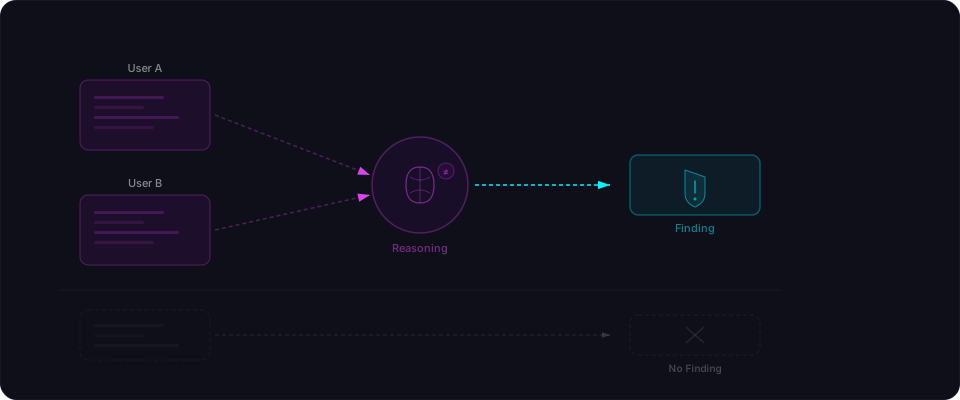
Yes, to a point. You can write a rule that checks for IDOR by making the same request with two different auth tokens and comparing responses. Some advanced scanners do this.
But the rules get complicated fast. You need to:
- Know which endpoints are user-scoped vs. public
- Know which fields in the response are sensitive
- Know what "ownership" means for each resource type
- Know which HTTP methods should require ownership vs. just authentication
- Handle cases where the response format changes based on the requester's role
For every application, these rules are different. An invoice app has different ownership semantics than a social media app. A healthcare app has different sensitivity rules than an e-commerce store. Writing rules that generalize across all of these is the same problem as writing a program that "understands" what software does — which is exactly what LLMs are good at.
Here's the practical difference. To add IDOR detection to a rule-based scanner, you'd write something like:
# Rule-based IDOR check — brittle, limited
def check_idor(endpoint, user_a_token, user_b_token):
    # Get a resource as User A
    resp_a = requests.get(endpoint, headers={"Authorization": f"Bearer {user_a_token}"})
    if resp_a.status_code != 200:
        return None

    # Try the same resource as User B
    resp_b = requests.get(endpoint, headers={"Authorization": f"Bearer {user_b_token}"})

    # If User B gets the same data, flag it
    if resp_b.status_code == 200 and resp_b.json() == resp_a.json():
        return Finding(severity="HIGH", type="IDOR")
    return None
This catches the simple case. But it misses partial data leaks (where User B gets some of User A's fields), it doesn't test write operations, it can't detect that a search endpoint is leaking data that should be private, and it has no concept of why the access is wrong — just that two responses matched.
The LLM approach doesn't need a pre-written rule for each pattern. It reads the response, understands what the data represents, and evaluates whether the access makes sense given the requester's identity. When the rules are "understand the application," an LLM is the right tool.
Where LLMs are worse (and we're not pretending otherwise)
If you've read this far thinking "this sounds like LLM hype," good. Skepticism is warranted. Here's where an honest LLM-powered scanner loses to a rule-based one — and what we do about it.
Hallucination is a real risk. This is the big one. An LLM that "reasons" about an endpoint can also confidently invent a vulnerability that doesn't exist. Early versions of our scanner would generate findings like "this endpoint is vulnerable to SSRF" when there was no SSRF — the LLM had pattern-matched on the shape of the code and filled in a story. The only thing worse than a missed bug is a fake one that wastes an hour of a builder's time.
Our fix: every finding must be executed, not reasoned about. The LLM proposes a hypothesis. A deterministic runner sends the actual HTTP request. A second LLM pass compares the real response against the claim. If the response doesn't confirm the hypothesis, the finding is killed. This is slower and more expensive than "just ask the model," but it's the only way we've found to keep false positives under 10%.
Speed on known patterns. ZAP can blast through 10,000 SQLi payloads in the time it takes an LLM to reason about one endpoint. For known signatures, brute force is faster and cheaper per bug.
Determinism. Run ZAP twice, get identical output. Run an LLM scanner twice, get slightly different findings — different endpoints prioritized, different phrasing, occasionally a finding that shows up in one run and not the next. We mitigate this with temperature=0, structured outputs, and re-verification passes, but it's a real tradeoff. If you need byte-identical results across runs for compliance, a rule scanner is a better fit.
Payload depth. Rule-based scanners carry decades of exploitation knowledge — WAF bypasses, encoding tricks, polyglot payloads, timing oracles. LLMs know about these conceptually but won't out-fuzz a curated payload list.
This is why Flowpatrol doesn't throw out traditional scanning. We use both. Pattern matching handles the known signatures. The LLM handles the reasoning — the access control checks, the business logic testing, the "does this make sense" analysis that no rule can encode. Every LLM finding is verified by an actual HTTP request before it ends up in your report.
What this looks like in practice
When you paste a URL into Flowpatrol, the scanner reads your app the way a human would — not just HTML, but the navigation structure, the forms, the API endpoints, the authentication flow. It builds a map of what the app does before it starts testing.
For each endpoint it finds, it generates test cases grounded in what that endpoint actually returned. An invoicing endpoint gets tested for negative amounts and cross-user access. A file upload endpoint gets tested for type bypass and path traversal. A user profile endpoint gets tested for mass assignment and privilege escalation. The test cases aren't drawn from a template list — they come from reading the specific response.
The tests run deterministically. The model isn't allowed to invent the outcome. If user B gets a 403, the hypothesis is dropped. If user B gets user A's billing data, that's a verified finding. And the report says exactly that — not "parameter reflection in HTTP response" but "User B can read User A's invoices by changing the ID in the URL. The endpoint at /api/invoices/[id] returns billing address, line items, and payment status without checking ownership."
The whole thing takes minutes. It catches what a human pentester would catch sitting down with your app for a day — specifically the stuff a regex will never see.
What you should do with this
You don't need to understand how LLMs work to benefit from this. Here's the practical takeaway:
-
Don't rely on one type of scanner. If you've only run ZAP or Nikto against your app, you've checked for injections and misconfigurations. That's necessary but not sufficient. The access control and business logic bugs are still there, untested.
-
Test with multiple users. The simplest security test you can run manually: log in as User A, copy a resource URL, log in as User B, paste the URL. If User B sees User A's data, you have a problem. Do this for every endpoint that returns user-specific data.
-
Check your write endpoints too. Read access is one thing, but can User B modify User A's data? Can a regular user change their role to admin? Test your PUT, PATCH, and DELETE routes with the same two-user approach.
-
Scan before you ship. Flowpatrol runs both pattern matching and LLM-powered analysis on every scan. Paste your URL, get a report that covers injections and logic flaws. Five minutes, and you know exactly where you stand.
Pattern matching tells you the lock is installed. LLM analysis tells you whether the door actually closes. You need both before you hand out the keys.